

My Honest Beginner’s KDP Publishing Guide

Publishing your first book on Amazon can feel exciting, scary, and weirdly confusing all at the same time.
One minute you feel like a real author.
The next minute you are staring at trim sizes, book descriptions, keywords, categories, pricing, royalties, ISBNs, and cover files like Amazon handed you a spaceship dashboard and said, “Good luck.”
That is why this KDP publishing guide is written in plain English.
Not fancy publishing talk.
Not fake “publish today and get rich tomorrow” nonsense.
Just a real beginner-friendly look at what Kindle Direct Publishing is, what you should know before you start, and how to walk into the process with your eyes open.
Amazon’s own Kindle Direct Publishing platform lets authors publish Kindle eBooks, paperbacks, and hardcovers. That is a big deal. Years ago, getting a book into the world usually meant sending a manuscript to agents, waiting months, getting rejected, waiting more, and maybe, if everything lined up, getting picked by a traditional publisher.
KDP changed that.
Now, a regular person with a finished book can upload it, create a listing, choose a price, and make it available on Amazon. Amazon’s official Start publishing with KDP page says authors can self-publish eBooks, paperbacks, and hardcover books for free and get direct access to their book on Amazon.
That does not mean the work is easy.
It means the gate is open.
And when the gate is open, you still have to walk through it the right way.
What This Guide Is About
This guide is about helping beginners understand the real basics of publishing on KDP before they rush into it.
A lot of people hear the words “self-publishing” and think it means uploading a file and waiting for sales. That is part of it, but it is not the whole thing.
KDP publishing guide includes writing, editing, formatting, cover design, book details, keywords, categories, pricing, previewing, publishing, and marketing. Some of those steps are fun. Some are boring. Some will make you question every life choice that led you to clicking “Create a new title” at 11:48 at night.
But each step matters.
The goal of this guide is not to scare you away. It is to help you avoid the easy mistakes that new authors make when they are excited and moving too fast.
Here is the simple truth:
Your first book does not have to be perfect, but it does need to be readable, clear, and worth the reader’s time.
That one sentence can save beginners a lot of pain.
Some new authors wait forever because they want the book to be flawless. They rewrite the same chapter for two years. They change the title seventeen times. They keep “almost” publishing, but never actually publish.
Other beginners go the opposite way. They rush. They upload a messy file. They use a weak cover. They pick random keywords. They do not preview the book. Then they wonder why readers do not buy it or why reviews are rough.
A better path sits in the middle.
Finish the book.
Clean it up.
Format it well.
Create or buy a cover that fits the market.
Upload carefully.
Preview everything.
Publish with realistic expectations.
Then learn from what happens.
That is what this section is about. It is the starting point. Before getting into paperbacks, eBooks, covers, keywords, categories, and pricing, you need to understand the bigger picture.
You are not just “putting a file online.”
You are creating a book product.
That does not mean you need to act like a giant publishing company. But it does mean you should respect the reader. A reader is spending money, time, and attention on your work. That matters.
A helpful way to think about KDP is this:
| Beginner Question | Honest Answer |
|---|---|
| Can I publish without a publisher? | Yes, KDP lets you self-publish directly. |
| Is it free to upload a book? | Yes, publishing through KDP itself can be free. |
| Does free mean no cost at all? | Not always. Editing, covers, tools, and ads may cost money if you choose to use them. |
| Can my first book make money? | Yes, but it is not guaranteed. |
| Should I rush my first book? | No. Move with purpose, not panic. |
| Do I need to understand everything first? | No, but you should understand the basics before clicking publish. |
If you are brand new, this matters because KDP can look simple from the outside.
The upload page may seem easy.
But the decisions behind the upload are what shape the final book.
Your title affects clicks.
Your cover affects trust.
Your description affects interest.
Your formatting affects reading comfort.
Your keywords and categories affect how readers may find you.
Your price affects buying decisions.
Your author page can help readers see what else you write. You can see an example of an author presence here on Amazon’s author page for Ray McNally.
This is why publishing is not just one click.
It is a chain of choices.
And each choice either helps the reader trust you, or makes them hesitate.
Who It Is For
This guide is for the person who wants to publish their first book but does not know where to start.
Maybe you already wrote a draft.
Maybe you have a half-finished idea sitting in Google Docs.
Maybe you have a notebook full of thoughts, stories, tips, lessons, or memories.
Maybe you have been telling yourself, “Someday I’ll write a book,” and now someday is getting tired of waiting.
This guide is also for people who feel overwhelmed by the publishing world.
You may not know what an ISBN is.
You may not know the difference between Kindle and paperback formatting.
You may not know what trim size means.
You may not know how royalties work.
That is okay.
Every author starts as a beginner.
Nobody is born knowing how to upload a manuscript, choose categories, format chapter headings, or write a book description that does not sound like a robot wearing a blazer.
The key is learning one step at a time.
This KDP publishing guide is especially useful if you are writing:
- A short helpful nonfiction book
- A memoir-style book
- A self-help book
- A how-to guide
- A workbook
- A journal
- A devotional or reflection book
- A children’s book
- A fiction book
- A poetry book
- A local interest book
- A hobby book
- A beginner guide in a topic you know well
KDP can support many kinds of books, but each type has its own needs.
For example, a simple nonfiction book may be easier to format than a picture-heavy children’s book. A paperback journal may have different layout needs than a Kindle eBook. A cookbook with photos may need more careful file prep than a plain-text essay book.
That does not mean one type is better.
It means beginners should pick a first project they can actually finish.
That point is worth sitting with.
Your first book should not be the biggest, most complex idea in your head unless you are truly ready for it. Many beginners try to start with a giant masterpiece, then burn out before they even reach the middle.
A smaller finished book teaches you more than a huge unfinished dream.
Here is a simple way to think about beginner book ideas:
| Book Idea Type | Beginner Difficulty | Why |
|---|---|---|
| Short nonfiction guide | Easier | Clear structure and simple formatting |
| Personal essay collection | Easier to medium | Easy to draft, but needs strong editing |
| Fiction novel | Medium | Requires plot, pacing, and character work |
| Workbook | Medium | Needs layout planning and usable exercises |
| Children’s picture book | Harder | Needs images, layout, sizing, and print care |
| Photo-heavy book | Harder | Needs image quality, file size, and layout skill |
| Large reference book | Harder | Needs deep research and organization |
For a beginner, the goal is not to prove you can suffer.
The goal is to publish something good enough to teach you the process.
You can always improve with book two.
And you will.
The first book teaches you things no video, article, or course can fully teach. You learn what takes longer than expected. You learn where you overthink. You learn what parts you enjoy. You learn what parts need help. You learn how much polish your writing really needs before readers see it.
That is not failure.
That is becoming an author.
If you want more plain-English writing and publishing thoughts, the Official Ray McNally blog is a good place to keep reading after this guide.
What Beginners Should Know Before Starting
Before you start publishing on KDP, you should know one thing above all:
KDP gives you access.
It does not give you automatic success.
That may sound harsh, but it is actually freeing.
You do not need to believe fairy tales. You do not need to chase fake promises. You do not need to buy every shiny course from someone standing beside a rented sports car telling you that “passive income” is just one upload away.
Self-publishing is real.
But it is still publishing.
That means quality matters.
Readers matter.
Your topic matters.
Your cover matters.
Your book page matters.
Your follow-through matters.
Amazon gives authors tools, but the author still has to make smart choices. The official Create a Book help page explains that the book setup process is where you upload, enter, and modify your book details before publishing. That setup is not just paperwork. It is the place where your book starts becoming a real listing readers can judge.
Beginners should also know that publishing is not the finish line.
It is the start of a new stage.
Before publishing, you are working on the book.
After publishing, you are working on the book’s life.
That may include sharing it, improving your author platform, asking for honest reviews in the right way, writing blog posts, making social posts, building an email list, or writing the next book.
Here are a few things I wish more beginners understood from day one:
- Your first draft is not your final book.
- Your cover is not just decoration.
- Your title should be clear, not just clever.
- Your book description is sales copy, not a school report.
- Your keywords should match what readers actually search for.
- Your price should make sense for your book type and length.
- Your preview should be checked like your reputation depends on it.
- Your first book may not sell fast, and that does not mean you failed.
- Your second book will probably be better because the first one taught you.
There is also a mindset shift that matters.
When you publish on KDP, you are not waiting for permission anymore.
That feels great, but it also means you are responsible for the choices.
A traditional publisher may handle editing, cover design, printing, distribution, and some marketing. With KDP, you either do those things yourself or hire help. That is part of being an indie author.
You do not need to be rich to start.
But you do need to be honest about your skill level.
If you are not good at cover design, get help or study covers in your niche.
If you are not good at editing, use tools, read aloud, and consider a real editor if the book needs it.
If formatting scares you, learn the basics or use a formatting tool.
If marketing makes you uncomfortable, start small. Share useful posts. Talk about the problem your book solves. Help readers before asking them to buy.
Here is a basic beginner checklist before you even open the KDP upload screen:
| Before You Publish | Why It Matters |
|---|---|
| Finished manuscript | You need a complete book, not just an idea |
| Edited content | Readers notice mistakes fast |
| Clear title and subtitle | Helps readers know what the book is about |
| Good cover | Affects trust and clicks |
| Proper formatting | Makes the book easier to read |
| Book description | Helps readers decide whether to buy |
| Keywords | Helps match your book with reader searches |
| Categories | Helps place your book in the right area |
| Price plan | Helps you avoid guessing under pressure |
| Final preview check | Catches mistakes before readers do |
A beginner should also understand that “published” does not always mean “professionally published.”
That difference matters.
Anyone can upload a weak book. That does not make the book ready.
A real author respects the reader enough to make the book useful, clean, and easy to read.
This does not mean your book must be perfect.
Perfect is a trap.
But your book should be prepared.
Think of it like inviting someone over to your house. The house does not need to look like a magazine. But you should probably move the laundry off the couch and make sure the dog did not eat the welcome mat.
Publishing is similar.
Clean it up.
Make it presentable.
Then open the door.
One more thing beginners should know: your first book is not your whole author career.
It is the first brick.
Some authors publish one book and stop. Others build a small catalog over time. The more books you write, the more you learn about readers, covers, topics, pricing, and marketing. You also get better at finishing.
That is one of the biggest hidden wins of KDP.
It teaches you to stop waiting.
It teaches you to make the thing.
It teaches you to publish, learn, improve, and keep going.
So, before starting, take a breath.
You do not need to master everything today.
You need to understand the path.
You need to finish the book.
You need to respect the reader.
You need to make careful choices.
And then you need to publish like someone who is learning, not pretending to know it all.
That is where a real beginner’s journey begins.

Understanding What KDP Really Is
KDP stands for Kindle Direct Publishing.
That sounds official because it is. But for a beginner, the simple meaning is this:
KDP is Amazon’s self-publishing system.
It lets you take a book you wrote, upload it, set up the book details, choose a price, and make it available for sale through Amazon.
That is the clean version.
The more honest version is this: KDP gives regular writers a door into publishing, but it does not walk through the door for you.
You still have to write the book. You still have to clean it up. You still have to make sure the cover looks good. You still have to choose the right details. You still have to check the preview. You still have to market it after it goes live.
KDP is not magic.
It is a tool.
And like any tool, it can help you build something good, or it can help you make a mess faster.
Amazon explains that Kindle Direct Publishing lets authors self-publish eBooks, paperbacks, and hardcover books for free. That is why so many new authors start there. You do not need an agent. You do not need a traditional publisher. You do not need to print boxes of books and store them in your garage beside old holiday decorations and one mystery cable nobody can identify.
You can publish directly.
That is the “direct” part.
But “direct” does not mean “easy money.”
A good KDP publishing guide should be honest about that from the start.
KDP removes many old barriers, but it also gives the author more responsibility. In traditional publishing, a publisher may help with editing, design, printing, distribution, and some marketing. With KDP, you are the person making many of those choices.
That can feel scary at first.
It can also be freeing.
You get more control over your book. You can publish faster. You can update some parts later. You can build your own author name. You can learn by doing.
But you also have to slow down enough to understand what you are doing.
Here is a simple way to look at KDP:
| What KDP Is | What KDP Is Not |
|---|---|
| A self-publishing platform | A guaranteed sales machine |
| A way to publish on Amazon | A replacement for editing |
| A tool for eBooks and print books | A promise that readers will find you |
| A way to control your book setup | A shortcut around quality |
| A place to upload and manage titles | A traditional publishing contract |
That last row matters.
Publishing through KDP means you are self-publishing.
You are not being signed by Amazon as a traditional author.
You are using Amazon’s platform to make your book available.
That difference may sound small, but it is huge.
A lot of beginners say, “I got published by Amazon.”
The more accurate way to say it is, “I published my book through Amazon KDP.”
That still counts.
You are still a published author when your book is live and available.
But the path is different.
And once you understand that difference, the whole process starts to make more sense.
How Amazon Self-Publishing Works
Amazon self-publishing works by letting authors upload book files and book information through KDP.
The basic idea is simple.
You create a KDP account, start a new title, enter your book details, upload your manuscript and cover, choose rights and pricing, preview the book, and submit it for review.
That sounds like a small list.
In real life, each step has little choices hiding inside it.
Your book details include your title, subtitle, author name, description, keywords, categories, age range if needed, and other information. Your files must match the format you are publishing. A Kindle eBook file is not handled the same way as a paperback interior file. A paperback cover is not the same as an eBook cover.
Amazon’s Create a Book help page explains that book setup is where authors upload, enter, and modify book details before publishing. That setup is where beginners need to pay close attention.
It is very easy to think, “I’ll just fill this out fast.”
That is how mistakes happen.
A typo in your title looks bad.
A weak description can lose readers.
Bad keywords can send your book into the wrong search lane.
A poorly formatted file can make the reading experience annoying.
A cover that does not fit the topic can make people scroll right past it.
Amazon self-publishing also uses print-on-demand for print books through KDP. That means you do not have to order 500 paperbacks upfront. When a customer orders a paperback or hardcover, Amazon can print and ship the book.
That is a big deal for beginners.
It lowers risk.
You are not filling your basement with books and then trying to convince your relatives that they make “great birthday gifts for the next seven years.”
For eBooks, the book is delivered digitally to Kindle readers and Kindle apps. For print books, the physical copy is printed when needed.
Here is the basic beginner flow:
| Step | What Happens |
|---|---|
| Write the book | You create the actual content |
| Edit the book | You fix, improve, and clean up the writing |
| Format the book | You prepare the inside for Kindle, paperback, or hardcover |
| Create the cover | You make a front cover or full print cover file |
| Enter book details | You add title, description, keywords, and categories |
| Choose pricing | You set your list price and royalty options |
| Preview the book | You check how it looks before publishing |
| Submit for review | Amazon checks the book before it goes live |
| Publish and promote | The book becomes available, and you start sharing it |
That is the clean path.
The messy beginner path often looks like this:
- Write most of the book.
- Get excited.
- Upload too soon.
- Notice formatting problems.
- Panic.
- Change the cover three times.
- Rewrite the description.
- Guess at keywords.
- Ask why the book is not selling after two days.
- Consider quitting.
- Drink coffee.
- Start over with slightly more wisdom.
That may sound funny, but it is common.
The good news is that KDP is learnable.
You do not have to know everything before you start. But you do need to know enough to avoid the biggest traps.
One helpful idea is to treat your KDP upload like a final check, not the place where you figure out the whole book.
Before you open KDP, you should already know:
- Your book title
- Your subtitle if you have one
- Your author name
- Your book description
- Your target reader
- Your main topic or niche
- Your format or formats
- Your price range
- Your cover plan
- Your keywords
- Your categories
- Whether your files are ready
You can still make changes during the setup, but you do not want to make every decision while you are tired and staring at the screen.
That is how “good enough for now” becomes “why did I publish that?”
Amazon self-publishing works best when you treat it like a real publishing process, not a random upload.
The platform may be simple.
The responsibility is still real.
What KDP Lets Authors Publish
KDP lets authors publish different book formats, which is one reason beginners like it.
The main formats are:
- Kindle eBooks
- Paperbacks
- Hardcovers
Each format has its own purpose.
A Kindle eBook is digital. People read it on Kindle devices, phones, tablets, or computers using the Kindle app. It is often faster to prepare than print because you do not have to worry about physical page trim, spine width, or print bleed in the same way.
A paperback is a printed book with a soft cover. This is the format many beginners picture when they think, “I want to hold my book in my hands.”
A hardcover is a printed book with a hard case cover. It may feel more premium, but it can also require more careful setup and pricing.
Amazon’s main KDP Publishing Guide page explains that authors can make eBooks available in Kindle Stores and that Amazon can print and ship paperbacks and hardcovers on demand.
That gives beginners options.
But options can also lead to overthinking.
A beginner may ask, “Should I publish all formats?”
Maybe.
But not always at the same time.
If your book is mostly plain text, like a simple guide, memoir, self-help book, or fiction book, publishing both Kindle and paperback can make sense. Some readers prefer digital. Some want a real book in their hands. Having both can help.
If your book has a lot of images, charts, work pages, or special layout needs, you may need to think more carefully. A workbook may work better in paperback. A photo-heavy book may need extra file care. A children’s book may need print layout attention before anything else.
Here is a simple table for beginners:
| Book Type | Kindle eBook | Paperback | Hardcover |
|---|---|---|---|
| Fiction novel | Usually good | Usually good | Optional |
| Short nonfiction guide | Usually good | Usually good | Optional |
| Memoir | Usually good | Usually good | Optional |
| Workbook | Sometimes | Usually better | Optional |
| Journal | Usually not ideal | Usually better | Optional |
| Children’s picture book | Possible, but tricky | Often better | Sometimes |
| Photo-heavy book | Possible, but needs care | Needs careful setup | Needs careful setup |
| Poetry | Usually good | Usually good | Optional |
KDP also has rules and content guidelines. Beginners should not assume they can upload anything they want without review. Amazon checks submitted books, and books must meet KDP content and quality standards. That includes things like file quality, metadata, rights, and reader experience.
Another thing beginners should know is that each format may need a different file.
You do not always use one file for everything.
A Kindle eBook needs a file that can work on different screen sizes. A paperback interior is laid out as fixed pages. A print cover usually needs front cover, back cover, and spine as one full cover file. The spine size depends on page count, paper type, and trim size.
This is where many beginners get surprised.
They think the cover is just one image.
For Kindle, yes, you usually need a front cover image.
For paperback or hardcover, you need a full wrap cover.
That means front, spine, and back.
And yes, this is the part where many new authors suddenly discover that the spine of a book has math involved. Publishing has jokes. They are just not always funny while you are living them.
KDP also gives authors options around ISBNs for print books. Amazon’s ISBN help page says KDP allows authors to use a free KDP ISBN for paperback and hardcover books, or purchase their own ISBN. Kindle eBooks do not require an ISBN on KDP.
That can be confusing at first, so here is the simple version:
| Format | ISBN Needed on KDP? | Beginner Note |
|---|---|---|
| Kindle eBook | No | You can publish without one |
| Paperback | Yes | You can use a free KDP ISBN or your own |
| Hardcover | Yes | You can use a free KDP ISBN or your own |
If you use a free KDP ISBN, there are limits tied to that ISBN. If you buy your own, you have more control, but it costs money through the official ISBN agency in your country.
For many beginners, using the free KDP ISBN is enough for a first paperback. But if you are building a publishing brand or plan to distribute widely outside Amazon, you may want to study ISBN choices more carefully before deciding.
The big point is this:
KDP lets you publish real book formats.
But each format has its own setup needs.
Do not treat Kindle, paperback, and hardcover like they are the same product with different buttons.
They are connected, but they are not identical.
The Difference Between Being Published and Being Traditionally Published
This is one of the most important things beginners need to understand.
When you publish through KDP, you are published.
Your book can be live on Amazon. Readers can find it. People can buy it. You can share the link. You can put it on your website. You can build an author page. You can say you are a published author.
That is real.
But it is not the same as being traditionally published.
Traditional publishing usually means a publishing company chooses your book, offers a contract, and handles many parts of the publishing process. Often, authors first try to get a literary agent. The agent submits the book to publishers. If a publisher accepts it, the publisher may handle editing, design, printing, distribution, and some marketing.
That path can take a long time.
It can also be hard to get into.
KDP is different.
With KDP, you do not need to be picked.
You choose yourself.
That sounds simple, but it changes everything.
Here is the basic difference:
| Self-Publishing Through KDP | Traditional Publishing |
|---|---|
| You publish directly through Amazon KDP | A publisher accepts and publishes the book |
| You control many choices | The publisher controls many choices |
| You may publish faster | The process often takes longer |
| You handle or hire editing, cover, and formatting | The publisher often handles production |
| You keep more control | You may give up some control |
| You are responsible for much of the marketing | The publisher may help, but authors still promote |
| You do not need an agent | Many traditional deals use agents |
One is not always better than the other.
They are different roads.
For a beginner, KDP can be a great road because it lets you start. You can learn publishing by doing it. You can test ideas. You can build a small catalog. You can write for a niche audience. You can publish books that a traditional publisher may not take a chance on.
That matters.
A traditional publisher may ask, “Can this book sell enough copies to fit our business model?”
A self-published author may ask, “Can this book help my reader and fit my goals?”
Those are different questions.
A book can be valuable even if it is not the kind of book a large publisher wants.
Maybe your book helps people with a very specific problem. Maybe it speaks to a small group. Maybe it is local. Maybe it is personal. Maybe it is practical. Maybe it is the first step in a larger author journey.
KDP gives those books a chance.
But here is where beginners need to be careful.
Self-publishing does not mean skipping standards.
It means you are in charge of meeting them.
If your book has errors, readers will blame you.
If your cover looks homemade in a bad way, readers will judge the book before opening it.
If your description is confusing, readers will leave.
If your formatting is hard to read, readers may stop reading.
That is the trade.
You get the control.
You also get the blame.
That may sound heavy, but it is also empowering.
You can improve.
You can learn covers.
You can study descriptions.
You can hire help when needed.
You can update your book.
You can keep writing.
You can build your author name over time.
This is why a good KDP publishing guide should not treat self-publishing like a shortcut. It is not a shortcut. It is a different job.
You are not just the writer.
You are also the project manager.
Maybe the editor.
Maybe the cover buyer.
Maybe the formatter.
Maybe the marketer.
Maybe the person refreshing the sales dashboard while pretending not to care.
That is normal.
Every indie author has felt that.
The healthier way to think about it is this:
“You don’t have to be great to start, but you have to start to be great.” — Zig Ziglar
That quote fits self-publishing well.
Your first book may not be your best book.
It probably will not be.
But publishing your first book teaches you how to become the kind of author who can publish a better second book.
That is the real win.
Being traditionally published may give an author support, status, and bookstore access in ways self-publishing may not. But being self-published gives an author speed, control, ownership, and direct learning.
Both paths require work.
Both paths require patience.
Both paths require better writing than your first messy draft.
KDP simply gives beginners a way to begin without waiting for someone else to open the door.
And for many new authors, that is enough to change everything.
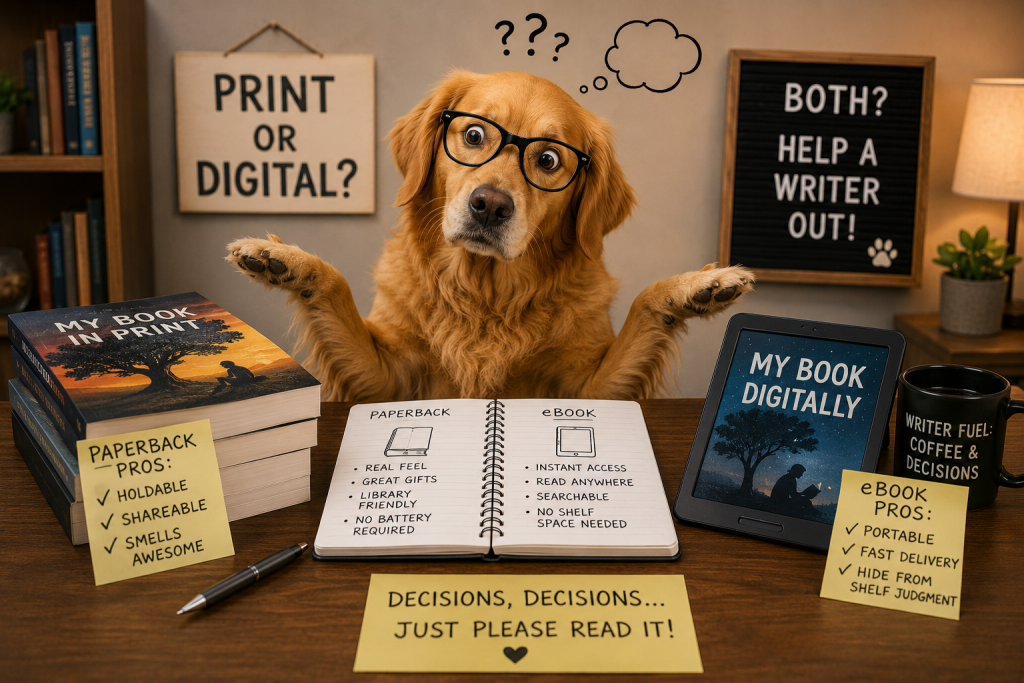
Print vs eBook Publishing
Print and eBook publishing are both part of KDP, but they do not feel the same when you are setting them up.
A Kindle eBook is digital. A paperback is physical. That sounds obvious, but beginners often miss how much that changes the publishing process.
With an eBook, the reader may change the font size, switch devices, read on a phone, or use a Kindle app. The book needs to be flexible. It needs to move cleanly from screen to screen.
With a paperback, the reader gets fixed pages. Page size, margins, bleed, page numbers, and cover spine all matter more. The book has to print correctly. If the inside file is wrong, the printed book can look bad in a very real way. You can hold the mistake in your hands, which is not the kind of author milestone anyone wants.
A good KDP publishing guide should help you see the difference before you start uploading files. KDP is friendly to beginners, but it still expects you to choose the right setup for the format you want.
Amazon’s official KDP print options explain choices like trim size, ink, paper, bleed, and cover finish. Those choices matter because a print book has a body. It has weight. It has edges. It has a cover people can touch.
Amazon’s official eBook manuscript formatting guide is different because a Kindle eBook is built for screens. It has to work across Kindle devices and apps instead of one fixed page size.
That is the big split.
Print is about the page.
eBook is about the screen.
And both matter.
“Books are the treasured wealth of the world and the fit inheritance of generations and nations.” — Henry David Thoreau, Walden
That quote is old, but it still fits. The format may change, but books still matter. A reader holding a paperback and a reader tapping through a Kindle are both doing the same thing at the heart of it. They are giving your words their time.
That is why your format choice should not be random.
It should match the book, the reader, and your skill level.
Here is the simple beginner view:
| Format | Best For | Hardest Part |
|---|---|---|
| Kindle eBook | Fast reading, digital buyers, low delivery friction | Clean formatting across devices |
| Paperback | Readers who like physical books, gifts, workbooks, journals | Interior layout and full cover setup |
| Hardcover | Premium versions, keepsakes, special editions | Higher pricing and careful print setup |
For many beginner authors, the smartest question is not “Which format is better?”
The better question is:
Which format does my reader actually want?
A reader buying a short sleep guide may be fine with Kindle. A reader buying a workbook may want paperback. A reader buying a family story or gift book may like hardcover. A reader buying a quick how-to guide may want the fastest and cheapest format.
That is why this choice matters early.
You are not just choosing a file type.
You are choosing how the reader will meet your book.
Paperback Publishing Basics
Paperback publishing feels more real to many new authors because it gives them something physical.
You can hold it.
You can put it on a shelf.
You can hand it to someone.
You can take a photo of it beside coffee like every author is legally required to do at least once.
That first printed copy can feel amazing.
But paperback publishing also has more moving parts than beginners expect.
A paperback is not just your Word document printed out. It needs a proper interior file and a full cover file. The interior file is the inside of the book. The cover file includes the front cover, back cover, and spine.
The spine is where many beginners get surprised.
A paperback spine depends on the book’s page count, paper type, trim size, and other print settings. A thin book may not even allow spine text. A thicker book may need careful spine placement. If the spine text is off, the finished book can look crooked.
That does not mean paperback is too hard.
It just means you should not wing it.
Amazon’s trim size, bleed, and margin guide explains how print layout depends on page size, margins, and whether your book uses bleed. Bleed means images or design elements go all the way to the edge of the page. If your book is mostly text, you may not need bleed. If you have full-page images, backgrounds, or graphics, you may.
For a simple beginner paperback, the safest path is usually plain, clean, and easy to read.
That means:
- A common trim size
- Clear margins
- Easy-to-read font
- Consistent chapter headings
- Proper page breaks
- No random blank pages
- A cover that fits the book’s topic
- A final preview before publishing
Print books also have production costs. KDP does not charge you to upload the book, but a paperback costs money to print each time someone buys it. That printing cost affects your royalty.
This is important because some beginners price their paperback too low and then wonder why the royalty is tiny. A paperback has paper, ink, printing, and shipping involved. The price has to leave room for those costs.
Here is a basic paperback checklist:
| Paperback Item | Why It Matters |
|---|---|
| Trim size | Sets the physical size of the book |
| Margins | Keeps text from running too close to the edge |
| Bleed choice | Needed if images go to the page edge |
| Interior PDF | Helps keep print pages fixed |
| Full cover file | Includes front, back, and spine |
| Page count | Affects spine size and printing cost |
| Print preview | Helps catch layout problems |
| Proof copy | Lets you review a real printed version before sharing widely |
A proof copy is one of the best tools a beginner can use.
A digital preview helps, but a printed proof shows things your eyes may miss on a screen. You may notice the font feels too small. You may see that a chapter starts awkwardly. You may find a typo that hid from you for three months like it was paying rent.
A paperback proof can humble you fast.
That is a good thing.
It is better for you to find the problem before readers do.
Paperback publishing is also great for certain kinds of books. Workbooks, journals, planners, guided prompts, children’s books, gift books, local books, memoirs, and practical guides can all work well in print.
Some readers still love paper. They like writing in margins. They like flipping pages. They like seeing progress. They like giving books as gifts. A paperback can feel more personal than a digital file.
But print is not always the best first move for every book.
If your book is short and text-based, a Kindle eBook may be easier to start with. If your budget is tight, an eBook may let you publish with fewer design issues. If your book needs a lot of layout work, paperback may take longer.
Still, there is one big reason many authors publish paperbacks:
It feels like proof.
Not proof that the book will sell.
Proof that you finished.
And for a beginner, that feeling can matter.
Kindle eBook Publishing Basics
Kindle eBook publishing is often the first format people think of when they hear “KDP.”
That makes sense. The word Kindle is right there in Kindle Direct Publishing.
A Kindle eBook is a digital book sold through Amazon’s Kindle Store. People can read it on Kindle devices or through the Kindle app. They do not need a printed copy. They can buy it and start reading fast.
That instant access is one of the biggest strengths of eBooks.
No waiting.
No shipping.
No bookshelf space needed.
No wondering if the package got delivered to the neighbor who still has your garden hose.
For beginners, Kindle eBooks can be a smart starting point because they often have fewer physical layout issues than paperbacks. You do not need a spine. You do not need a back cover. You do not need to worry about trim size in the same way.
But Kindle formatting still matters.
An eBook has to flow well. Readers may change font size. They may read on a small phone screen or a larger tablet. Your formatting needs to survive that. If your book is full of weird spacing, broken headings, bad image placement, or random page breaks, the reader will notice.
Amazon’s supported eBook manuscript file formats include options like DOC/DOCX, HTML, RTF, TXT, PDF, and KPF. For many beginners, a clean DOCX file or a KPF file created through Kindle Create can be a common route.
The key word is clean.
A messy document can become a messy eBook.
Before you upload an eBook, remove strange formatting. Keep your headings consistent. Use real paragraph styles if possible. Avoid using the spacebar to force layout. Do not use tabs and extra returns to fake design. That might look okay in your document, but eBook conversion can turn those little tricks into chaos.
A Kindle eBook is not supposed to act like a printed page.
That is one of the biggest beginner mistakes.
They try to control every line like a paperback. But eBooks are flexible. The reader’s device and settings can change the look. That is why simple formatting often works better than fancy formatting.
Here is a quick beginner comparison:
| eBook Formatting Choice | Beginner Advice |
|---|---|
| Chapter headings | Keep them clear and consistent |
| Paragraph spacing | Use normal spacing, not piles of blank lines |
| Images | Use only when needed and check how they display |
| Page numbers | Usually not needed the same way as print |
| Fonts | Do not rely on special fonts for the whole book |
| Table of contents | Use a clickable table of contents |
| Links | Check that links work before publishing |
| Preview | Use the Kindle Previewer or KDP preview tools |
Kindle eBooks are often a good fit for fiction, short nonfiction, self-help, essays, how-to books, and simple guides. Readers who want quick help may prefer digital because they can start right away.
For example, if someone is searching for a beginner guide, a sleep help book, a short anxiety guide, or a simple personal growth book, Kindle can be a good match. The reader may want answers now, not after shipping.
That does not mean Kindle is always best.
Workbooks can be harder as eBooks because readers may want to write in them. Journals usually do not make much sense as Kindle eBooks. Picture-heavy books may need more care. Some books simply feel better in print.
Kindle eBooks also have royalty choices that differ from print. Depending on the price, region, file size, and other factors, the royalty setup may change. Beginners should read KDP’s current royalty information before guessing. Pricing too high can scare readers away. Pricing too low can make the book feel less valuable or reduce your earnings.
For many new authors, Kindle feels less scary than paperback because there is no print proof. But that can also be a trap.
Just because you can publish faster does not mean you should skip checking.
Always preview the eBook.
Click through the table of contents.
Check the beginning.
Check chapter breaks.
Check images.
Check links.
Check the end matter.
Make sure your author bio and any reader links are correct.
If you add a link to your site, make sure it goes where you think it goes. A helpful resource or author hub can support the reader after they finish the book. For example, an author can send readers to a main blog or book page on their own site using tracked links, such as more writing and publishing posts on Official Ray McNally.
The eBook may be digital, but the reader’s trust is real.
If it looks rushed, they can feel it.
Which Format Beginners Should Start With
The best format for beginners depends on the book.
That may sound boring, but it is the honest answer.
Some people should start with Kindle.
Some should start with paperback.
Some should publish both.
A beginner should not pick a format because another author said it worked for them. Their book may be different. Their readers may be different. Their goals may be different.
The smarter path is to match the format to the book’s purpose.
Ask yourself this:
How will my reader use this book?
If the reader will mostly read it straight through, Kindle may work well.
If the reader will write in it, flip around, use exercises, or give it as a gift, paperback may work better.
If the book is a keepsake, special edition, or premium version, hardcover may make sense later.
Here is a simple guide:
| Your Book Is Mainly… | Best Beginner Format |
|---|---|
| A short how-to guide | Kindle first, paperback optional |
| A fiction novel | Kindle and paperback |
| A memoir | Kindle and paperback |
| A workbook | Paperback first |
| A journal | Paperback |
| A children’s picture book | Paperback, with careful layout |
| A poetry book | Kindle and paperback |
| A premium gift book | Paperback first, hardcover later |
| A fast-read self-help book | Kindle first, paperback optional |
If this is your very first book, Kindle can be a lighter starting point for many text-based books. You can learn the publishing dashboard, book description, keywords, categories, and pricing without also fighting full print layout right away.
But if your book is clearly meant to be used on paper, do not force it into Kindle just because it seems easier.
A workbook that readers cannot easily write in may feel less useful. A journal as an eBook may confuse buyers. A planner without paper may lose the whole point.
The best format is the one that serves the reader.
Not the one that makes the author feel fancy.
A strong beginner move is to start with one format, learn it well, then add another format when ready.
For example:
- Publish the Kindle eBook first.
- Make sure the listing looks good.
- Fix anything that needs fixing.
- Then create the paperback.
- Order a proof copy.
- Review it carefully.
- Publish the print version.
Or you can do it the other way:
- Build the paperback first.
- Get the print layout right.
- Create a simpler eBook version.
- Preview it on Kindle.
- Publish both when ready.
There is no single perfect order.
But there is a bad order:
Rushing all formats at once when none of them are ready.
That is how beginners end up with a Kindle file that reads badly, a paperback with strange margins, and a cover that looks like it lost a fight with a template.
Slow down.
One clean format is better than three messy ones.
If you are using this KDP publishing guide as a beginner, here is the simplest advice:
Start with the format your reader is most likely to buy and use.
Then add the next format when you can do it well.
Also think about your own confidence. If learning both Kindle and paperback at the same time makes you freeze, start with one. Publishing one good version is progress. You do not need to build the whole author empire before lunch.
Here is a beginner decision table:
| Question | If Yes | If No |
|---|---|---|
| Will readers want to write in the book? | Start with paperback | Kindle may be fine |
| Is the book mostly plain text? | Kindle is a good first option | Print may need more planning |
| Is it a gift-style book? | Paperback may matter more | Kindle may still work |
| Do images need exact placement? | Plan print carefully | eBook may be simpler |
| Do readers need quick access? | Kindle helps | Print can still be added |
| Do you want a proof copy? | Paperback gives you that | Kindle preview still matters |
For many authors, the best long-term answer is both Kindle and paperback.
Readers like choices.
Some will only buy Kindle.
Some will only buy print.
Some will buy both if the book helps them enough.
But for your first book, the goal is not to do everything at once. The goal is to publish well enough that you are proud to share the book.
A finished Kindle eBook can make you an author.
A finished paperback can make it feel real in your hands.
A finished hardcover can feel special.
But none of those formats matter if the book itself does not help, entertain, guide, or move the reader.
So choose the format with care.
Do not choose it from panic.
Do not choose it from ego.
Choose it from the reader’s point of view.
That is one of the best habits a new KDP author can build.

Writing Before Publishing
Writing before publishing sounds obvious, but it is where many new authors get stuck.
Not because they cannot write.
Because they keep trying to write, edit, judge, fix, rewrite, redesign, rename, and market the book all at the same time.
That is a fast way to turn one simple book idea into a haunted house.
You sit down to write chapter two, then suddenly you are checking cover fonts. You try to write the introduction, then you start worrying about keywords. You fix one sentence, then you decide the whole book needs a new title. Before long, you have twelve open tabs, three possible subtitles, a half-finished chapter, and the deep feeling that maybe you should become a beekeeper instead.
This is why the writing stage matters so much.
Before you publish on KDP, you need a finished manuscript. Not a perfect one. Not a magical one. Not a book that will make every reader stand up and clap in the frozen food aisle.
A finished one.
A real KDP publishing guide has to say this clearly: the book has to exist before the publishing process can help you.
KDP can help you upload a book. It cannot finish the book for you.
Amazon gives authors official help for many parts of the publishing process, including how to format an eBook manuscript, how to format a paperback manuscript, and how to set up book details. Those pages are useful when your manuscript is ready. But if the book itself is still a pile of loose ideas, the upload tools will not save it.
The writing stage is where you build the thing readers came for.
Not the cover.
Not the description.
Not the pricing plan.
The actual book.
That does not mean the first draft needs to be beautiful. Most first drafts are not beautiful. They are messy. They repeat things. They wander. They have sentences that look like they were assembled during a power outage.
That is normal.
The job of a first draft is not to impress people.
The job of a first draft is to become real enough that you can improve it.
“You can always edit a bad page. You can’t edit a blank page.” — Jodi Picoult
That quote is one of the best reminders for new authors. A blank page gives you nothing to work with. A rough page gives you a place to start.
If you are writing a nonfiction book, your first job is to get the ideas down in an order that helps the reader. If you are writing fiction, your first job is to move the story forward. If you are writing a memoir, your first job is to capture the truth of what happened and why it matters.
You can shape it later.
But you cannot shape what you never write.
Here is a simple way to think about the writing stage:
| Stage | What You Should Focus On | What To Avoid |
|---|---|---|
| First draft | Getting the book written | Editing every sentence too soon |
| Second draft | Fixing structure and missing parts | Obsessing over commas first |
| Clean-up draft | Improving flow and clarity | Rewriting forever |
| Final review | Catching mistakes | Changing the whole book again |
| Publishing prep | Formatting and upload steps | Starting over from fear |
The goal is not to rush.
The goal is to move in the right order.
Write first.
Improve second.
Publish third.
That sounds simple because it is.
Simple does not mean easy.
Why Finishing Matters More Than Perfecting
Finishing matters more than perfecting because perfection can become a hiding place.
That may sound strange, but it happens all the time.
A beginner says, “I’m just making it better.”
Sometimes that is true.
Other times, “making it better” is really fear wearing a fake mustache.
Fear of being judged.
Fear of bad reviews.
Fear of looking silly.
Fear of publishing the wrong thing.
Fear that the book is not good enough.
Fear that it is good enough and now people might actually read it.
So the author keeps polishing. They change the introduction again. They rewrite chapter one again. They move the same paragraph from the top to the middle to the bottom and then back to the top like it is furniture in a living room.
At some point, editing stops being helpful.
It becomes delay.
This does not mean you should publish sloppy work. That is not the point. Readers deserve a clean, useful, readable book. But there is a difference between improving a book and refusing to let it leave the house.
A finished book can help a reader.
A perfect book that never gets published helps no one.
Here is the hard truth:
Your first book will probably not be your best book.
That is okay.
Your first book is where you learn how to finish. You learn how long chapters take. You learn where your writing gets wordy. You learn what kind of editing you need. You learn how to explain your idea. You learn what publishing actually feels like.
Those lessons are not small.
They are the foundation for every book after it.
Think of your first KDP book like your first real workout after years of saying, “I should get in shape.” It may not be pretty. You may make faces. You may question gravity. But you did the work, and now you have something to build from.
Finishing gives you feedback.
Perfecting without finishing only gives you more anxiety.
A strong beginner goal is not “write the perfect book.”
A better goal is:
Write a clear book that helps the reader and is good enough to publish with pride.
That sentence gives you room to care without getting trapped.
Here is a simple table that shows the difference:
| Healthy Improvement | Perfection Trap |
|---|---|
| Fixing confusing parts | Rewriting because you feel scared |
| Removing repeated ideas | Changing things without a clear reason |
| Improving chapter order | Starting over every few weeks |
| Correcting errors | Waiting for a magic feeling of readiness |
| Asking for useful feedback | Asking everyone until you feel lost |
| Making the book reader-friendly | Trying to make every sentence flawless |
The reader does not need your book to be perfect.
The reader needs it to be useful, clear, honest, and readable.
That matters even more in beginner nonfiction. If your book solves a problem, teaches a lesson, shares a story, or gives comfort, the value comes from the help it gives. A few simple sentences that land clearly are better than a pile of fancy words that feel like they are trying too hard.
This is also why writing at a simple level can be powerful. Simple writing is not weak writing. Simple writing respects the reader’s time.
The best beginner authors learn to say the thing clearly.
Not every line needs to sound deep.
Not every paragraph needs to sparkle.
Sometimes the plain sentence does the job best.
For example, if your book is about helping someone publish their first book, the reader does not need you to sound like a professor trapped in a candle shop. They need you to explain what to do next.
That is what finishing teaches.
It forces you to serve the reader instead of worshiping the draft.
If you want to keep learning as you build your author path, publishing-focused posts on Official Ray McNally can support that bigger process.
But the blog posts, tools, videos, and tips only help if you keep writing.
At some point, the book needs your attention more than another tutorial does.
Finish the draft.
Then fix it.
Then publish.
That order saves beginners.
Setting Realistic Writing Goals
Realistic writing goals are boring in the best possible way.
They do not sound exciting.
They do not make you feel like you are about to write a bestseller by Friday.
They do not promise that you will wake up tomorrow as a full-time author wearing a cardigan and drinking coffee beside a window.
But realistic goals work.
That is why they matter.
Many beginners fail because they set goals based on emotion instead of real life. They say, “I’m going to write 5,000 words every day.” That sounds great on the day they feel inspired. Then the dog needs to go out, the sink is full, work is annoying, someone in the house asks where the tape is, and suddenly 5,000 words feels like climbing a mountain while holding a sandwich.
A goal that only works on your best day is not a plan.
It is a wish.
A better writing goal fits your actual life.
If you can write 500 words a day, that is progress. If you can write for 30 minutes each morning, that is progress. If you can write three days a week, that is still progress. The key is picking a goal you can repeat.
Books are built by repeatable effort.
Not one giant heroic writing session where you ignore your family and survive on crackers.
Here is a simple way to set a writing goal:
| Goal Type | Example | Best For |
|---|---|---|
| Time goal | Write for 30 minutes a day | Busy beginners |
| Word count goal | Write 500 words a day | Drafting chapters |
| Chapter goal | Finish one chapter per week | Structured nonfiction |
| Scene goal | Write one scene per session | Fiction writers |
| Revision goal | Edit 10 pages per day | Cleaning up a draft |
| Deadline goal | Finish draft by a set date | Writers who need pressure |
The best goal is the one you will actually do.
For a beginner KDP author, a simple writing plan may look like this:
- Pick one main book idea.
- Create a basic outline.
- Write one section at a time.
- Set a small daily or weekly goal.
- Track progress.
- Do not edit deeply while drafting.
- Finish the full draft before judging the whole book.
- Take a short break.
- Come back and revise.
That plan is not flashy.
That is why it works.
A beginner nonfiction book can be built with a simple outline. Each chapter answers one main reader question. Each section moves the reader closer to the result they want.
For example, in a KDP publishing guide, one chapter may explain what KDP is. Another may explain book formats. Another may explain covers. Another may explain pricing. Each part has a job.
You do not need to write the whole book in one sitting.
You need to write the next useful part.
That is much easier on the brain.
If your book has 12 chapters and you write one chapter per week, you can have a full draft in about three months. If you write faster, great. If you write slower, that is fine too. The timeline is less important than the habit.
But be careful with fake productivity.
Researching covers is not writing.
Checking your future sales rank is not writing.
Changing your author bio for the eighth time is not writing.
Buying a new notebook may feel like writing, but unless words go into it, that is office supply cosplay.
The writing goal should produce pages.
That is the point.
Here is a beginner-friendly weekly writing plan:
| Day | Simple Writing Task |
|---|---|
| Monday | Write new draft material |
| Tuesday | Write new draft material |
| Wednesday | Review outline and fill gaps |
| Thursday | Write new draft material |
| Friday | Light cleanup, no deep editing |
| Saturday | Optional catch-up |
| Sunday | Rest or read your draft casually |
This is just one example. The point is to make the plan small enough to survive real life.
Another useful trick is to separate writing from editing.
Writing and editing use different parts of your brain. Writing is about getting ideas down. Editing is about making them better. If you try to do both at once, you may keep stopping yourself.
During drafting, let the pages be imperfect.
You can leave notes like:
- Add example here.
- Check this fact later.
- This needs a better ending.
- Explain this more simply.
- Move this section later.
Those notes keep you moving without pretending the draft is finished.
Realistic goals also help with confidence. Every small win proves you are the kind of person who keeps going. That matters because writing a book can feel lonely. No one is standing over you saying, “Great job, chapter hero.”
You have to learn to keep promises to yourself.
Small promises are easier to keep.
And kept promises build trust.
Avoiding Endless Editing
Endless editing is one of the most common traps for new authors.
It feels responsible.
It feels professional.
It feels like you are doing the right thing.
But sometimes, you are just sanding the same table until there is no table left.
Editing is needed. No serious beginner should publish a first draft without reviewing it. A first draft is usually too rough. It may repeat itself, drift off topic, use weak examples, or miss important steps. Editing helps turn the draft into a book.
But endless editing happens when there is no finish line.
You keep changing words because you can.
You keep adjusting sentences because you are nervous.
You keep asking for opinions until the book no longer sounds like you.
That can hurt the book.
A reader wants clarity. They want a voice that feels real. They want useful ideas. They do not need every sentence polished until it sounds like it was approved by a committee of tired grammar owls.
A better editing process has stages.
Do not try to fix everything in one pass.
Start big, then go small.
Here is a simple editing order:
| Editing Pass | What To Look For |
|---|---|
| Structure edit | Does the book make sense in this order? |
| Chapter edit | Does each chapter do its job? |
| Clarity edit | Are the ideas easy to understand? |
| Line edit | Are the sentences clean and smooth? |
| Proofread | Are spelling, grammar, and small errors fixed? |
| Final format check | Does it look right in the final file? |
This order matters.
Do not spend an hour fixing commas in a chapter you may delete.
That is like dusting furniture before moving out.
Start with the big questions:
- Does the book help the reader?
- Is anything missing?
- Is anything repeated too much?
- Does the order make sense?
- Does each chapter have a clear point?
- Does the ending feel complete?
- Is the reader left with a next step?
Once the structure works, then clean the writing.
A simple proofreading checklist can help:
- Read the chapter out loud.
- Look for repeated words.
- Cut sentences that say the same thing twice.
- Break up long paragraphs.
- Fix confusing lines.
- Check links.
- Check headings.
- Check names, dates, and facts.
- Run a spellcheck.
- Review again after a short break.
If your book includes facts, links, or instructions, you need to check them carefully. A broken link or wrong step can make readers lose trust. For KDP-specific details, use Amazon’s own help pages when possible because publishing rules and tools can change.
For example, if you are giving formatting advice, it is safer to point readers to Amazon’s current KDP formatting resources instead of guessing from memory.
That is part of good editing too.
Editing is not just grammar.
Editing is making the book more trustworthy.
Still, you need a point where you stop.
A clear stopping rule helps beginners avoid the forever-editing swamp.
Try this:
- Draft the full book.
- Do one structure edit.
- Do one clarity edit.
- Do one line edit.
- Do one proofread.
- Format the book.
- Preview it.
- Fix final issues.
- Publish.
Could you keep editing after that?
Yes.
You could also reorganize your sock drawer by emotional theme. That does not mean you should.
At some point, more editing gives less return.
You start changing good sentences into different good sentences. You start fixing things that are not broken. You start removing the human sound from the writing.
That is not always improvement.
Sometimes it is fear.
One helpful question is:
Will this change make the book clearer for the reader, or am I just nervous?
If it makes the book clearer, make the change.
If you are just nervous, take a breath and move forward.
Endless editing can also delay your learning. You do not fully learn publishing until you publish. You do not fully learn reader response until readers can respond. You do not fully learn your next book until you finish this one.
The first book is not the end of your author life.
It is the start.
So edit with care.
Clean the book.
Respect the reader.
Then let the book leave your desk.
That is how you move from writer to published author.
Common Beginner Mistakes
Most new KDP authors do not fail because they are lazy.
They fail because they do not know what they do not know yet.
That is normal. Every new author starts with blind spots. The problem is not being new. The problem is pretending the easy parts do not matter.
A lot of beginners think the hard part is writing the book. And yes, writing the book is hard. Finishing a draft takes time, focus, and a lot of “why did I start this?” moments.
But publishing has its own set of traps.
Some of them look small at first.
A weak title.
A blurry cover.
A rushed description.
A book that was never previewed.
A category picked at random.
A manuscript that still has rough formatting.
A price chosen because it “felt right.”
None of these things may seem deadly alone. But together, they can make a book look unready.
And readers notice.
KDP gives authors a lot of control, but that control cuts both ways. You can publish without waiting for permission. That is the good part. You can also publish too soon, with too little research, and with too many easy mistakes still sitting in the book. That is the part beginners need to respect.
Amazon explains that books submitted through KDP go through a review process where the book is checked against formatting and content guidelines before publication. That does not mean Amazon is editing your book for quality like a personal coach. It means you are still responsible for making sure the book is clean, useful, and ready for readers. You can read the basic review overview on Amazon’s KDP Publishing Guide and Review page.
This is where a good KDP publishing guide should be honest.
KDP can make publishing easier.
It cannot make a rushed book good.
The most common beginner mistakes usually come from three places:
- Moving too fast
- Skipping research
- Thinking the upload button is the whole process
That last one is a big one.
Publishing is not just uploading.
Publishing is preparing.
You are preparing the reader’s first impression. You are preparing the inside of the book. You are preparing the sales page. You are preparing the format. You are preparing the price. You are preparing yourself to share the book after it goes live.
If you skip those parts, the book may still publish, but it may not land well.
Here is a simple view of beginner mistakes and what they usually cost you:
| Beginner Mistake | What It Can Hurt |
|---|---|
| Rushing the book | Reader trust |
| Weak cover | Clicks and first impressions |
| Messy formatting | Reading comfort |
| Poor description | Sales page interest |
| Bad keywords | Search visibility |
| Wrong categories | Reader discovery |
| No preview check | Final book quality |
| No basic research | Topic fit and reader demand |
| Unrealistic expectations | Motivation and follow-through |
None of these mistakes mean you are doomed.
They mean you are learning.
But some mistakes are easy to avoid if you slow down before publishing.
The goal is not to become perfect.
The goal is to stop making the obvious mistakes that push readers away before they even give your book a chance.
“Mistakes are the portals of discovery.” — James Joyce
That quote is true, but let’s be honest. It is better when the discovery happens before your book is live.
Learn from mistakes.
Just try not to upload every single one.
Trying to Make the First Book Perfect
Trying to make the first book perfect sounds like a good thing at first.
It sounds careful.
It sounds professional.
It sounds like you care.
And caring is good.
But perfection is sneaky. It can look like high standards when it is really fear wearing a nice jacket.
A beginner may say, “I just need one more edit.”
Then one more edit becomes five more edits.
Then the subtitle changes.
Then the cover changes.
Then the first chapter gets rewritten again.
Then the whole book sits there for six months because the author is waiting for the magical moment when fear disappears.
That moment usually does not come.
At some point, the author has to decide if the book is clear, clean, helpful, and ready enough to publish.
“Ready enough” does not mean careless.
It means you have done the needed work, fixed the real problems, and stopped chasing a perfect version that may not exist.
Your first book should be taken seriously. But it should not be treated like your final chance at being an author. It is not. It is your first step.
A lot of new authors put too much pressure on book one. They want it to prove everything. They want it to sell well, look amazing, get great reviews, build their name, change their life, and make all their doubts shut up forever.
That is a lot to ask from one book.
Especially a first book.
A healthier way to look at it is this:
Your first book should teach you how to finish, publish, and improve.
That alone is valuable.
Here is the difference between a strong first book mindset and a perfection trap:
| Strong First Book Mindset | Perfection Trap |
|---|---|
| “I want this to be useful and clear.” | “This has to be flawless.” |
| “I can improve with each book.” | “This one book must prove everything.” |
| “I will edit carefully, then publish.” | “I will keep editing until I feel no fear.” |
| “Readers need help, not perfection.” | “Readers will hate one tiny mistake.” |
| “This is the start of my author journey.” | “This is my only chance.” |
The problem with perfection is that it can stop you from getting real feedback.
You can guess what readers want forever, but you learn more when real readers finally see the book. That does not mean publishing junk to “test the market.” It means publishing a good, prepared book, then learning from what happens.
If readers are confused, you learn.
If the cover gets no clicks, you learn.
If the description feels weak, you learn.
If people connect with one chapter more than the others, you learn.
That feedback helps future books. It may even help you improve this one.
KDP lets authors update some book details and files after publishing, though updates may go through review again. Amazon explains the process on its update your book details page. That does not mean you should publish carelessly and fix everything later. But it does mean your first upload is not always carved into stone forever.
That can take some pressure off.
The goal is not to be reckless.
The goal is to stop being frozen.
If you are a beginner, try this simple “ready to publish” check:
- Is the book complete?
- Is the main promise clear?
- Did I edit the full manuscript?
- Did I remove confusing parts?
- Did I fix obvious grammar and spelling errors?
- Did I format it for the right book type?
- Did I check the cover size and quality?
- Did I preview the book?
- Did I make sure the description fits the book?
- Did I choose keywords and categories with thought?
If you can honestly answer yes, you may be closer than your fear admits.
Perfect is not the goal.
Prepared is the goal.
A prepared first book is enough to begin.
Skipping Research
Skipping research is one of the fastest ways to make KDP harder than it needs to be.
A beginner gets an idea and gets excited. That part is good. Excitement helps you start.
But then they rush straight into writing or publishing without checking the market, the reader, the format, or the rules. That is where trouble begins.
Research does not mean you need to spend three months making spreadsheets and pretending you are launching a rocket. It means you should understand the space your book is entering.
Who is the reader?
What problem does the book solve?
What books are already out there?
What do their covers look like?
How long are they?
What words do readers use in reviews?
What topics seem crowded?
What angle is missing?
What format do readers seem to prefer?
This kind of research helps you write and publish with your eyes open.
It does not steal your creativity.
It gives your creativity a map.
For example, if you are writing a beginner guide to KDP, you should look at what beginners actually ask. They may not care about advanced publishing theory. They may want to know how to start, what files they need, how much it costs, whether they need an ISBN, and why their cover file keeps yelling at them.
That helps you shape the book.
Skipping research often leads to vague books.
A vague book is hard to sell because the reader cannot quickly understand why it matters.
“Self-publishing tips” is broad.
“A beginner’s step-by-step KDP publishing guide for your first book” is clearer.
That kind of clarity helps the reader know they are in the right place.
Research also helps with categories and keywords. Amazon’s KDP Categories page explains that categories help readers discover books, while keywords are often more specific and help readers find books through search. That is a simple but important difference.
Categories help place your book.
Keywords help match reader searches.
Both need thought.
Guessing is not a strategy.
Here is a simple beginner research checklist:
| Research Area | What To Look For |
|---|---|
| Reader | Who is this book for? |
| Problem | What does the reader want help with? |
| Similar books | What already exists? |
| Covers | What style does this topic use? |
| Titles | What words appear often? |
| Reviews | What do readers praise or complain about? |
| Format | Do readers prefer Kindle, paperback, or workbook style? |
| Keywords | What phrases match real reader searches? |
| Categories | Where does the book truly belong? |
| Price | What do similar books cost? |
Reviews can be especially helpful, but use them ethically.
Do not copy other authors. Do not steal structure, titles, or wording. That is wrong, and it also makes your book weaker.
Instead, study reader needs.
If many reviews say, “This book was too advanced,” that tells you there may be room for a simpler beginner book.
If reviews say, “I wanted more examples,” that tells you examples matter.
If reviews say, “This was clear and easy to follow,” that tells you readers value simple steps.
Research helps you serve readers better.
It also saves time.
If you discover that your idea is too broad, you can narrow it before writing 40,000 words. If you discover the market is full of nearly identical books, you can find a fresher angle. If you discover readers want a printable workbook, you may plan for paperback sooner.
Skipping research can make you feel fast in the beginning and lost later.
Doing research can feel slow in the beginning and save you later.
For a beginner, research should not become an excuse to avoid writing. That is the other trap. You do not need to read every book in your category before starting. You do not need to become a full-time market analyst.
Set a limit.
For example:
- Study 10 similar books.
- Read 50 helpful reviews.
- Note common cover styles.
- Write down 10 possible keywords.
- Pick the best reader promise.
- Then start writing.
That is enough to move with more confidence.
Research gives your book direction.
Writing gives it life.
You need both.
Publishing Before Understanding the Process
Publishing before understanding the process is like baking a cake after reading only the oven temperature.
You may get something out at the end.
But there is a good chance nobody should eat it.
KDP makes publishing look simple from the outside. Create an account. Upload a file. Add a cover. Click publish.
But the real process has more steps than that.
You need to understand the order, the files, the review stage, the preview tools, the pricing choices, and the quality checks. You also need to know what can and cannot be changed later.
Many beginners do not slow down long enough to learn those basics. They get excited and jump into the dashboard. Then they hit a question they do not understand. Trim size. Bleed. Rights. Keywords. Categories. ISBN. Royalty. Preview. Metadata.
Suddenly, the simple upload feels like a test they did not study for.
That is why a KDP publishing guide should explain the process before telling people to publish.
Here is the simple order most beginners should understand:
| Step | What It Means |
|---|---|
| Book details | Title, subtitle, author name, description, keywords, categories |
| Content setup | Manuscript file, cover file, ISBN for print if needed |
| Preview | Checking how the book looks before publishing |
| Pricing | Choosing territories, price, and royalty settings |
| Review | Amazon checks the book before it goes live |
| Live listing | The book becomes available for readers |
| Updates | Some details and files can be changed later, with review |
The preview step is one of the most important.
Do not skip it.
Amazon provides an Upload and Preview Book Content help page that explains how authors can preview eBook content through KDP. Amazon also offers Kindle Previewer, a free desktop tool that lets authors check how Kindle books may look before publishing.
For print books, KDP’s Print Previewer can catch formatting problems that may not be obvious when you are only looking at your manuscript file. Amazon notes on its fix paperback and hardcover formatting issues page that Print Previewer can catch structure-related formatting errors.
That matters because your document may look fine in Word, but the final book may not.
Print and Kindle are different reading experiences.
A Word document is not the final product.
The preview is closer.
Beginners should also understand that KDP review takes place after submission. During review, the book may be locked for changes. That means if you notice a mistake right after submitting, you may have to wait until the review process allows changes again.
This is another reason to slow down before clicking publish.
Make a final checklist.
Read the description again.
Check the title.
Check the author name.
Check the cover.
Check the manuscript.
Check the preview.
Check the price.
Then submit.
Here is a beginner “before I click publish” checklist:
- Did I upload the correct manuscript file?
- Did I upload the correct cover file?
- Did I preview the full book?
- Did I check the first pages?
- Did I check the table of contents?
- Did I check chapter breaks?
- Did I check images if the book has them?
- Did I check links if the book has them?
- Did I check the book description?
- Did I choose real categories?
- Did I enter useful keywords?
- Did I understand the royalty and price?
- Did I save a copy of all final files?
This may feel like extra work, but it is much easier than fixing public mistakes later.
Another beginner mistake is thinking Amazon will market the book for you just because it is on Amazon.
Amazon gives your book a place to exist.
It does not guarantee attention.
Readers still need a reason to click. They need to understand the book. They need to trust the cover. They need to care about the topic. They need to believe the book is worth their time or money.
Publishing is not the same as promoting.
That is why understanding the process matters before going live.
You are not only preparing the file.
You are preparing the full reader path.
They may see the cover first.
Then the title.
Then the subtitle.
Then the reviews if there are any.
Then the description.
Then the price.
Then the sample.
Each part either helps them move closer or gives them a reason to leave.
KDP is a powerful tool for beginners, but it rewards authors who take the process seriously.
You do not have to know everything.
You do not have to be perfect.
But you should know enough to avoid walking into the most obvious walls.
Slow down.
Learn the basic steps.
Use the preview tools.
Read the official help pages.
Prepare the book like readers matter.
Because they do.
Formatting Your Book
Formatting is the part of publishing that sounds boring until it ruins your book.
A lot of beginners think formatting means making the manuscript “look nice.” That is part of it, but it is not the whole job.
Formatting means setting up the inside of your book so readers can move through it without getting annoyed, lost, or distracted.
Good formatting is quiet. Most readers do not notice it because it works. The chapter starts where it should. The paragraphs are easy to read. The spacing feels normal. The headings make sense. The table of contents works. The book feels clean.
Bad formatting is loud. Readers notice it fast.
A chapter may start halfway down the wrong page. A heading may look different every time. The text may feel cramped. The margins may look strange. The table of contents may not work. Blank pages may appear where they should not. A paperback may look fine on your computer, then look weird when printed.
That is when the new author starts whispering, “But it looked right in Word.”
Every self-published author has either said that, heard that, or feared that.
This is why formatting matters in any honest KDP publishing guide. Writing gets the ideas down. Editing improves the words. Formatting shapes the reading experience.
Readers may forgive a simple book.
They may not forgive a book that feels hard to read.
Amazon has official KDP book formatting resources that explain how to prepare books for publishing. Those resources are useful because Kindle eBooks and print books are not built the same way.
A Kindle eBook has to flow across different screens.
A paperback has fixed pages.
That one difference changes a lot.
With Kindle, readers can change font size, line spacing, and screen layout. Your eBook needs to be flexible. With paperback, your interior file needs to hold steady because the printed page will not adjust itself.
Formatting is not only a design choice.
It is a reader trust choice.
If your book looks clean, readers are more likely to relax into it. If it looks sloppy, they may wonder what else you rushed.
Here is the simple beginner truth:
Good formatting does not make a weak book great, but bad formatting can make a good book feel weak.
That is why you should not treat formatting like the final annoying chore before publishing.
It is part of the book.
For beginners, formatting usually has three goals:
- Make the book easy to read
- Make the book look consistent
- Make the book meet the format needs for Kindle, paperback, or hardcover
Here is a simple breakdown:
| Formatting Area | Why It Matters |
|---|---|
| Chapter headings | Helps readers know where they are |
| Paragraph spacing | Makes reading feel smooth |
| Margins | Keeps print books from feeling cramped |
| Page breaks | Starts chapters cleanly |
| Table of contents | Helps readers navigate |
| Fonts | Affects comfort and tone |
| Front matter | Makes the book feel complete |
| Back matter | Gives readers a next step |
| Previewing | Catches problems before publishing |
A beginner does not need to become a professional book designer overnight.
But you do need to know enough to avoid the obvious problems.
Formatting is one of those tasks where simple is often better than fancy. A clean, readable book usually beats a messy book trying too hard to look impressive.
Your goal is not to show off.
Your goal is to help the reader keep reading.
Interior Formatting Basics
Interior formatting is the setup of the inside pages of your book.
That includes the title page, copyright page, table of contents, chapters, headings, body text, page numbers, images, notes, and any final pages at the end.
For Kindle eBooks, the interior needs to flow well on different screens. For paperbacks and hardcovers, the interior needs to fit the chosen trim size and print layout.
This is where beginners need to slow down.
A manuscript is not automatically a finished book interior.
Your draft may be written in Google Docs, Microsoft Word, Scrivener, Atticus, Vellum, or another tool. That draft still needs to be prepared for the format you plan to publish.
Amazon’s eBook manuscript formatting guide covers important parts like paragraph indentation, line spacing, chapter titles, table of contents, front matter, back matter, and images. Those are not tiny details. They shape how the book feels in the reader’s hands or on the reader’s screen.
For print books, Amazon’s paperback manuscript formatting guide walks authors through print-specific setup. Print formatting needs more care because the physical page has limits. You have to think about trim size, margins, bleed, and where the text sits on the page.
A simple book interior often includes:
| Interior Part | What It Does |
|---|---|
| Title page | Shows the book title and author name |
| Copyright page | Gives basic rights and publishing information |
| Table of contents | Helps readers find sections |
| Introduction | Welcomes the reader and explains the book |
| Main chapters | Delivers the main content |
| Conclusion | Wraps up the book |
| Author page | Shares who wrote the book |
| Other books or links | Gives readers a next step |
Not every book needs every piece.
A short Kindle guide may have a simple title page, copyright page, table of contents, chapters, conclusion, and author note. A paperback workbook may need instructions, blank writing spaces, page numbers, and section dividers. A novel may need chapter headings and simple front matter, but not a long table-heavy layout.
The point is to match the interior to the reader’s needs.
A beginner mistake is adding too much.
Huge title pages. Fancy chapter decorations. Too many font styles. Random bold text. Big empty spaces. Tables that do not work well on Kindle. Images that move around strangely.
Fancy does not always mean better.
Clean usually wins.
For a nonfiction book, readers want the information to feel easy to follow. They should know where each section begins. They should be able to scan headings. They should not need to fight the layout.
For fiction, readers want to disappear into the story. The formatting should not keep waving at them.
For workbooks, readers need room to use the book. If the writing spaces are too small, the book may feel frustrating.
Here is a simple interior formatting checklist:
- Use clear chapter titles
- Start new chapters in a consistent way
- Use normal paragraph spacing
- Avoid random blank lines
- Keep headings consistent
- Use page breaks instead of hitting Enter many times
- Check the table of contents
- Keep images sized properly
- Make sure links work in eBooks
- Make sure page numbers work in print books
- Preview before publishing
One of the biggest beginner rules is this:
Do not use the Enter key as a design tool.
Pressing Enter again and again to push text to the next page can cause problems. It may look okay in your document, but when the file is converted or viewed on another device, it can shift. Use proper page breaks instead.
The same goes for spacing.
Do not use the spacebar to move text around. That is not layout. That is chaos wearing a tiny hat.
Use styles when possible. Heading styles, normal paragraph styles, and proper page breaks make the file easier to manage.
Amazon also provides paperback and hardcover manuscript templates for authors who want help setting up print interiors in Microsoft Word. Templates can be useful for beginners because they give you a starting structure.
Still, do not trust a template blindly.
Check the final file.
Preview the book.
If possible, order a proof copy for print.
Interior formatting is not about making the book fancy.
It is about making the book feel like a book.
That is the goal.
Choosing Fonts and Layouts
Fonts have feelings.
That may sound dramatic, but it is true.
A serious nonfiction book should not look like a birthday invitation. A children’s book should not look like a tax form. A thriller should not feel like a wedding menu. A beginner guide should not make readers squint like they are decoding a pirate map.
The font and layout should match the book.
For most beginner KDP books, readability matters more than style. A fancy font may look interesting in a title, but it can become annoying in body text. If readers have to work too hard to read, they may stop.
That is why simple fonts are often better for the main text.
For print books, common readable serif fonts can work well for body text. Serif fonts have small strokes at the ends of letters. Many printed books use serif fonts because they feel natural on the page. For digital books, Kindle readers may use their own font settings, so the author has less control over the final reading view.
This is another reason not to depend on special fonts for the whole eBook.
A Kindle eBook is flexible. A reader may change font size or style. If your design only works with one perfect font size, it may not work well on Kindle.
For paperbacks, you have more control, but you also have more responsibility.
The layout should give the page breathing room.
Margins should not be too tight. Lines should not be too long or too cramped. Paragraphs should not look like giant bricks. Chapter headings should stand out without screaming.
Amazon’s trim size, bleed, and margins guide explains print setup details, including margin needs for books with and without bleed. Beginners should use that guide instead of guessing because print layout depends on the exact book setup.
A good page layout feels calm.
A bad page layout feels like the author tried to fit a couch into a closet.
Here is a beginner-friendly font and layout guide:
| Book Type | Font/Layout Goal |
|---|---|
| Nonfiction guide | Clean, simple, easy to scan |
| Memoir | Warm, readable, not too crowded |
| Fiction | Smooth reading with few distractions |
| Workbook | Spacious, clear, room for answers |
| Journal | Consistent lines or prompts |
| Children’s book | Large, clear, age-friendly text |
| Poetry | Intentional spacing and strong page control |
For body text, avoid fonts that are too playful, thin, thick, or decorative. Save creative fonts for cover design or special headings if they fit the book.
The inside of the book should not fight the reader.
It should guide them.
Layout also includes decisions like:
- Chapter title size
- Body text size
- Line spacing
- Paragraph indents
- Page margins
- Header and footer style
- Page numbers
- Section breaks
- Image placement
- Table placement
A beginner nonfiction layout might use:
| Element | Simple Choice |
|---|---|
| Chapter title | Larger bold heading |
| Subheadings | Clear and consistent |
| Body text | Easy-to-read size |
| Paragraphs | Short and spaced well |
| Lists | Used when they help |
| Tables | Simple and mobile-friendly |
| Images | Only when useful |
| Page numbers | Clear in print version |
Short paragraphs matter, especially for practical nonfiction.
Readers often skim before they read. Headings, lists, and tables help them find what they need. That does not mean the book should feel chopped up. It means the page should not scare people.
A giant wall of text can make even a helpful book feel heavy.
For a beginner KDP publishing guide, clean formatting is part of the promise. If the book teaches publishing but looks messy inside, that sends the wrong signal.
The same idea applies to any topic.
A book about calm should not feel visually chaotic.
A book about money should not look careless.
A book about health should feel trustworthy.
A book about dog training should not look like the dog formatted it during thunder.
The layout should support the message.
Not distract from it.
One good habit is to print a few pages or view them in the actual preview tool. Do not judge only from your writing software. A page that looks fine while editing may feel different in book form.
Ask yourself:
- Is this easy to read?
- Do the headings make sense?
- Are the paragraphs too long?
- Is there enough white space?
- Does the page feel crowded?
- Would I keep reading this?
- Does it look like other books in this type, while still feeling like mine?
You do not have to copy other books.
But you should understand what readers expect.
Fonts and layouts do not need to be perfect.
They need to be comfortable.
That is enough.
Making the Book Easy to Read
Making the book easy to read is one of the kindest things an author can do.
That may sound soft, but it is serious.
Readers are busy. They are tired. They are reading on lunch breaks, in bed, on phones, on couches, in waiting rooms, and sometimes while pretending not to hear someone ask where the clean towels are.
If your book is hard to read, they may not push through.
That does not always mean the writing is bad. Sometimes the formatting makes the book feel harder than it is.
Long paragraphs can tire readers.
Tiny text can make print books uncomfortable.
Bad spacing can make pages feel crowded.
Missing headings can make nonfiction confusing.
Broken tables can make Kindle readers annoyed.
A bad table of contents can make navigation harder.
Making the book easy to read means removing friction.
Friction is anything that makes the reader stop for the wrong reason.
Sometimes readers should stop because an idea is powerful.
They should not stop because your chapter heading is floating in a weird place.
For Kindle books, ease of reading means the file should flow well. Readers may change text size, use dark mode, read on different screens, or jump between chapters. A clickable table of contents can help. Amazon’s Create a Table of Contents guide explains table of contents setup for Kindle Create.
For print books, ease of reading means the physical page feels good. The margins are not too tight. The font is comfortable. The chapter starts are consistent. Page numbers are clear. Images, if used, print correctly.
Amazon’s fix paperback and hardcover formatting issues page is useful because it shows how print problems can happen with trim size, bleed, and other setup choices.
For beginners, the safest reading experience usually comes from simple choices done well.
Here are some easy wins:
- Use short paragraphs
- Use clear headings
- Keep lists clean
- Avoid too many font styles
- Use tables only when they help
- Keep images sharp and relevant
- Check every chapter start
- Make sure links work in eBooks
- Preview the book before publishing
- Order a proof copy for print if possible
A helpful book should feel helpful on the page.
If your book teaches steps, make the steps easy to follow.
If your book tells a story, let the story breathe.
If your book gives advice, break it into sections people can understand.
If your book includes exercises, give enough space to use them.
A reader should not need to fight your layout to get your message.
Here is a simple reader-friendly formatting table:
| Reader Problem | Formatting Fix |
|---|---|
| “This feels hard to follow.” | Add clear headings and section breaks |
| “The page feels crowded.” | Increase white space and shorten paragraphs |
| “I lost my place.” | Use consistent chapter titles and page numbers |
| “The eBook jumps strangely.” | Use proper styles and preview the file |
| “The print book feels cramped.” | Check margins and font size |
| “I cannot find sections.” | Add or fix the table of contents |
| “This looks unprofessional.” | Use consistent fonts, spacing, and layout |
One of the best tests is reading your formatted book like a reader, not like the author.
Authors read with memory. You already know what you meant. Readers do not.
That makes authors dangerous proofreaders.
You may miss problems because your brain fills in the gaps. That is why previewing matters. A preview forces you to see the book closer to the way a reader will see it.
Use the KDP preview tools. Use Kindle Previewer if you are preparing an eBook. Check your print preview carefully for paperbacks and hardcovers.
Do not only check the first chapter.
Problems love to hide near the middle.
Check:
- The title page
- Copyright page
- Table of contents
- First chapter
- A middle chapter
- Last chapter
- Back matter
- Links
- Images
- Page breaks
- Any tables or lists
If you use back matter, keep it useful. This may include a thank-you note, author bio, email signup, related books, or a link to your website. Do not overload the reader at the end. Give them one or two clear next steps.
For example, an author writing multiple helpful books may point readers toward an author page or blog after the book ends. That can help readers continue the relationship without making the book feel like one long sales pitch.
The best formatting does not beg for attention.
It earns trust quietly.
That is what beginners should aim for.
Not fancy.
Not perfect.
Readable.
Clean.
Consistent.
Reader-friendly.
If your book is easy to read, you have already done something many beginners skip.
And readers can feel the difference.

Creating a Book Cover
A book cover is not just decoration.
It is the first promise your book makes to a reader.
Before someone reads your first sentence, they usually see the cover. Before they know your story, your advice, your voice, or your heart, they see the image, title, colors, and layout. Fair or not, that first look matters.
A good cover tells the reader, “This book belongs in the kind of world you are looking for.”
A weak cover tells the reader, “Something might be off here.”
That sounds harsh, but it is true. Readers make fast choices. They scroll. They compare. They pause for a second. Then they either click or keep moving.
This is why cover design matters so much for KDP beginners. When your book is sitting beside many other books on Amazon, your cover has to do a lot of work. It has to catch attention, show the topic or genre, look clear at small sizes, and make the book feel trustworthy.
That is a lot to ask from one rectangle.
But that rectangle is powerful.
A good KDP publishing guide should not tell beginners to “just make something in five minutes.” That is how new authors end up with covers that look rushed, confusing, or homemade in the wrong way.
Homemade is not always bad.
Some indie authors make strong covers themselves.
But a cover has to look like it belongs with real books in its category. If it does not, readers may assume the writing inside has the same level of care as the outside.
That may not be fair.
But readers do not have time to investigate every book deeply.
They use signals.
The cover is one of the biggest signals.
Amazon’s official Cover Creator can help authors create and customize an eBook, paperback, or hardcover cover with layouts and fonts. That can be useful for beginners who do not have design software or money for a custom cover yet. Amazon also has a Print Cover Calculator and Templates tool that helps authors create correctly sized print cover templates based on book details like trim size, paper type, and page count.
Those tools matter because a Kindle cover and a paperback cover are not the same thing.
A Kindle eBook usually needs a front cover image.
A paperback cover needs a full wrap cover. That means front cover, spine, and back cover. The size depends on the final page count and print options.
That is where many beginners get surprised.
They finish the manuscript, feel proud, then realize the cover has math, margins, bleed, spine width, barcode space, and file requirements.
Publishing likes to wait until you feel confident, then hand you a ruler.
Here is the simple version:
| Cover Type | What It Usually Needs |
|---|---|
| Kindle eBook cover | Front cover image |
| Paperback cover | Front, spine, and back cover |
| Hardcover cover | Full cover setup with hardcover requirements |
| Series cover | A style that can repeat across future books |
| Workbook cover | Clear topic and practical feel |
| Fiction cover | Strong genre signal and mood |
A cover does not need to explain the whole book.
It needs to create the right first impression.
That is the main job.
“There are three responses to a piece of design: yes, no, and wow! Wow is the one to aim for.” — Milton Glaser
That quote fits book covers well.
A cover does not have to be loud to create a “wow.” Sometimes a clean, sharp, simple cover works better than a busy one. The goal is not noise. The goal is interest.
For a beginner, the safest cover plan is usually this:
- Study real covers in your category
- Notice colors, fonts, and image styles
- Make the title easy to read
- Use one strong visual idea
- Avoid clutter
- Check the cover at small size
- Make sure it fits the book’s promise
- Use KDP’s current cover requirements
- Preview before publishing
A book cover is a marketing tool, but it is also a trust tool.
Readers should feel like they understand what kind of book they are looking at.
If your book is a calm anxiety guide, the cover should not look like a horror novel. If your book is a beginner KDP guide, the cover should not look like a fantasy epic. If your book is about dog training, the cover should not look like a courtroom thriller unless the dog has committed tax fraud.
The cover should match the reader’s expectations enough to feel familiar, but still stand out enough to earn attention.
That balance is the art.
Why Covers Matter So Much
Covers matter because readers judge books quickly.
Yes, people say not to judge a book by its cover.
People also say they are “just browsing” at the store and then come home with snacks, batteries, and a throw blanket. Humans are not always honest about how decisions happen.
A cover is not the full book.
But it is the first filter.
When a reader sees your cover on Amazon, they may be looking at it as a tiny thumbnail. That means the design has to work small. If the title is unreadable at small size, the cover may fail before the reader ever clicks.
This is especially important for beginners because you may not have reviews yet. You may not have a large author name yet. You may not have a big audience sending traffic to your book page.
Your cover has to pull more weight.
A strong cover can help a new reader pause.
A weak cover can make them keep scrolling.
Amazon’s cover image guidelines explain that Kindle eBooks must include an internal cover image and that authors should provide a large, high-resolution cover because Amazon quality assurance can fail books if the cover is too small. That is a technical point, but it also says something bigger.
The cover has to be prepared correctly.
Not just creatively.
A book cover has two jobs:
| Cover Job | What It Means |
|---|---|
| Emotional job | Makes the reader feel curious, safe, excited, helped, or interested |
| Practical job | Meets size, quality, and upload requirements |
Both matter.
A pretty cover that fails technical checks will not help you.
A technically correct cover that looks boring may not get clicks.
You need both.
For nonfiction, the cover should make the topic clear. The reader should understand the main benefit fast. A beginner guide should look helpful. A health book should feel trustworthy. A money book should feel serious but not fake. A sleep book should feel calm. A dog book should feel clear and friendly.
For fiction, the cover should show genre and mood. Romance, fantasy, thriller, mystery, cozy mystery, horror, and literary fiction all have different cover signals. A thriller cover should not look like a soft cookbook. A cozy mystery should not look like a military survival guide.
Readers use those signals to decide if the book is for them.
That is not shallow.
It is how book shopping works.
Here is a beginner cover research table:
| What To Study | What To Notice |
|---|---|
| Top books in your topic | Common colors and image styles |
| Covers in your genre | What readers expect |
| Title size | Can you read it small? |
| Subtitle use | Is it clear or crowded? |
| Author name placement | Large or small? |
| Image choice | Symbolic, people-based, object-based, or plain? |
| Color mood | Calm, bold, dark, bright, warm, serious? |
| Layout | Simple, busy, centered, dramatic, minimal? |
Do not copy another cover.
Study patterns.
There is a big difference.
Copying makes your book look cheap and can create rights problems. Studying helps you understand the visual language of your category.
If ten top beginner publishing books use clean fonts, clear titles, and simple desk or book imagery, that tells you readers may expect clarity. If you make a confusing abstract cover with tiny silver letters on a gray background, you may be proud of it, but readers may not know what it is.
A cover should not be a puzzle unless the category calls for mystery.
For most beginner nonfiction, clear beats clever.
That may sting a little because authors love clever ideas. We like layered meanings. We like symbols. We like covers that make us say, “Ah, but the broken teacup represents the burden of chapter seven.”
Readers scrolling Amazon do not have time for that.
They need to know:
- What is this?
- Is it for me?
- Does it look trustworthy?
- Do I want to click?
That is the job.
If the cover does that, it is working.
What Makes Readers Click
Readers click when a cover gives them a reason to stop.
That reason may be emotional, practical, or visual.
A reader may click because the title speaks to their problem. They may click because the cover looks beautiful. They may click because the genre is obvious. They may click because the subtitle promises the exact help they want. They may click because the cover looks more professional than the books around it.
Clicks are not random.
They come from signals.
A strong KDP cover usually has five things working together:
| Cover Element | Why It Helps |
|---|---|
| Clear title | Readers understand the book fast |
| Strong contrast | The cover is readable at small size |
| Right genre feel | Readers know what kind of book it is |
| Simple focus | The eye knows where to look |
| Professional polish | The book feels trustworthy |
The title is usually the most important text on the cover.
If the title cannot be read, the cover is in trouble.
This is especially true on Amazon because covers often appear as thumbnails. A cover may look great full-size but fail when small. Beginners should always test the cover by shrinking it down.
Ask:
- Can I read the title?
- Does the cover still make sense?
- Does it look like my topic?
- Does it stand out without looking weird?
- Would I click it if I did not know I wrote it?
That last question is painful but useful.
Authors are attached to their own covers. We know the backstory. We know why we chose the color. We know why the tiny object in the corner is meaningful.
Readers do not.
They only see what is there.
That is why you need to think like a stranger.
For nonfiction, a click often comes from a clear promise. The title and subtitle should help the reader know what they get.
For example:
| Weak Cover Message | Stronger Cover Message |
|---|---|
| “Publishing Stuff” | “Beginner’s Guide to Publishing on KDP” |
| “My Journey” | “What I Learned Publishing My First Book” |
| “Better Sleep” | “Sleep Help for Anxiety” |
| “Dog Commands” | “Teaching Your Dog Basic Obedience Commands” |
| “Money Mindset” | “Simple Wealth Habits for Beginners” |
Clear does not mean boring.
Clear means the reader does not have to guess.
The visual should support that promise.
If the book is practical, use a practical visual style. If the book is emotional, use an emotional visual style. If the book is funny, allow the design to feel lighter. If the book is serious, do not make it look like a meme.
Color also matters.
Colors create mood. Blue may feel calm or professional. Gold may feel rich or warm. Red may feel urgent. Black may feel serious or dramatic. Green may feel natural or financial. White space may feel clean. Dark covers may feel intense.
But color alone does not save a bad design.
The whole cover has to work.
Here are common click-friendly cover traits:
- Title is easy to read
- Subtitle is helpful but not too long
- Fonts match the topic
- Main image is clear
- Colors fit the mood
- Contrast is strong
- Layout is not crowded
- Cover looks good as a thumbnail
- Design fits the category
- Nothing looks blurry or stretched
A reader may not think through all of that out loud.
They just feel it.
They either trust the cover or they do not.
Amazon’s Prepare Your Cover page notes that to size a print cover correctly, authors need the final page count from the interior manuscript after trim and margin settings are finished. That is a reminder that cover creation is not only art. It is also timing.
Do not create your final paperback cover before the final page count is ready.
If the page count changes, the spine size may change.
If the spine size changes, the cover may need changes.
This is one reason beginners get frustrated.
They design the paperback cover too early, then edit the book, then the page count changes, then the cover file no longer fits.
The cover and interior are connected.
For Kindle, you do not need a spine or back cover, but you still need a strong front cover image. Amazon’s eBook cover requirements explain image criteria, including file size and pixel limits. Always check current requirements before final upload.
A click is not a sale.
But without the click, the sale never has a chance.
That is why cover design deserves real attention.
Common Cover Mistakes to Avoid
Most beginner cover mistakes come from trying too hard, rushing too fast, or not studying the category.
The first mistake is using a cover that does not match the book.
This happens all the time.
A nonfiction book gets a cover that looks like a fantasy novel. A serious memoir gets a cover that looks like a business manual. A dog training book gets a cover so plain that it could be about printer ink.
Readers need visual clues.
If the cover sends the wrong signal, the right reader may skip it.
The second mistake is using text that is too small.
This is a big one.
A cover may look fine while you are designing it on a large screen. But on Amazon, it may appear much smaller. If the title disappears at thumbnail size, the design is weak.
The title should be readable fast.
The subtitle can be smaller, but it still needs to be useful. Do not pack the whole back cover description onto the front cover. A cluttered front cover makes the reader work too hard.
The third mistake is using too many fonts.
Two fonts are usually enough for most beginner covers. Sometimes one strong font family can work. Three can work if handled well. Six fonts usually looks like the cover got dressed in the dark.
Fonts should feel like they belong together.
A playful handwritten font, a serious legal font, and a futuristic sci-fi font probably should not be having a meeting on the same cover.
The fourth mistake is using low-quality images.
Blurry images, stretched images, pixelated artwork, and strange cutouts can make a book look cheap. If your image quality is poor, readers may assume the book quality is poor too.
This is also where image rights matter.
Do not grab images from Google and use them on your cover. That can create copyright problems. Use images you created, images you have licensed, public domain images you have verified, or artwork you have permission to use.
The fifth mistake is forgetting print cover requirements.
A paperback cover needs the correct size, bleed, spine, and barcode area. If you ignore those things, KDP may reject the file, or the printed book may look wrong.
Amazon’s Create a Paperback Cover page explains formatting requirements for authors creating their own paperback cover. Beginners should use official guidance instead of guessing.
Here is a clear mistake table:
| Cover Mistake | Why It Hurts |
|---|---|
| Tiny title | Readers cannot read it in search results |
| Wrong genre look | The right reader may skip it |
| Too many fonts | Makes the cover feel messy |
| Weak contrast | Text blends into the background |
| Blurry image | Looks unprofessional |
| Crowded layout | The eye does not know where to look |
| Wrong cover size | Can cause upload or print problems |
| Ignoring spine size | Paperback cover may not fit |
| Copying another cover | Can look cheap and create rights issues |
| Designing before final page count | Print cover may need to be redone |
Another common mistake is making the cover too personal.
This sounds strange, but it matters.
Authors often choose images because they mean something to them. The old tree. The empty road. The coffee cup. The storm cloud. The door. The candle. The dramatic chair by a window. The dog looking wise for reasons only the author understands.
Those images may be meaningful, but the reader has to understand the cover without your explanation.
A cover should speak to the reader, not just the author.
That is why feedback helps.
But ask the right people.
Do not only ask, “Do you like this cover?”
People may say yes to be nice.
Ask better questions:
- What kind of book do you think this is?
- Who do you think it is for?
- Can you read the title when it is small?
- What feeling does it give you?
- Would you click it?
- Does anything look confusing?
- Does it look like a real book in this category?
Those answers are more useful.
If people keep guessing the wrong genre, the cover has a problem.
If they cannot read the title, the cover has a problem.
If they say it looks nice but cannot tell what the book is about, the cover may still have a problem.
For beginners, the safest rule is:
Make the cover clear before you make it clever.
Clever can come later.
Clear comes first.
A strong cover does not guarantee success. Nothing does.
But a weak cover can make success harder.
Your cover should give the book a fair chance.
That is all you can ask it to do.

Keywords and Categories
Keywords and categories are where many new KDP authors start guessing.
That is a problem.
Guessing feels easy, but it can quietly hurt your book.
Your keywords and categories help Amazon understand where your book belongs and what kind of reader may be looking for it. They do not replace a good book, a strong cover, or a clear description. They do not guarantee sales. They are not a magic button hiding behind the upload screen.
But they matter.
Think of keywords and categories like signs in a bookstore.
If your book is put in the wrong aisle, the right reader may never see it. If the sign above the shelf is too vague, the reader may walk past. If the words do not match what the reader is looking for, the book gets lost.
That is why this part of any KDP publishing guide matters so much.
A beginner may write a helpful book, create a good cover, and upload everything correctly, then rush through keywords and categories at the end. That is like baking a good pizza and then delivering it to the wrong house.
Someone may still find it, but not the person who wanted it.
Amazon’s official KDP keywords help page explains that keywords help readers discover books when they search on Amazon. Amazon also says authors can choose up to seven keywords or short phrases that relate to the book. That does not mean seven random words. It means seven chances to help match your book with the right search.
Amazon’s official KDP categories help page explains that categories help readers browse and find books, and that keywords may also help Amazon determine how to place a book in the store.
That is the simple split:
| Item | Simple Meaning | Main Purpose |
|---|---|---|
| Keywords | Search words or phrases readers may type | Help readers find your book through search |
| Categories | Shelves or sections where your book belongs | Help place your book in the right browsing area |
Both should match your reader.
Both should match your book.
And both should be chosen with care.
A keyword that sounds smart but does not match the book is not helpful. A category that looks easy but does not fit the reader is not helpful. You are not trying to trick the system. You are trying to help the right reader find the right book.
That is the part beginners often miss.
Good keywords are not about stuffing in popular words.
Good keywords are about reader intent.
Reader intent means what the person actually wants when they search.
If someone types “how to publish a book on Amazon,” they probably want steps. If someone types “self publishing for beginners,” they probably wants a simple guide. If someone types “KDP publishing guide,” they may be looking for a book or article that explains KDP in a clear, beginner-friendly way.
Those are not just words.
They are clues.
Here is a basic example:
| Broad Keyword | Better Keyword Idea |
|---|---|
| publishing | KDP publishing guide |
| writing | self publishing for beginners |
| books | how to publish a book on Amazon |
| author | first time author guide |
| Kindle | Kindle Direct Publishing for beginners |
Broad keywords may be too crowded. They may also be too vague.
Specific phrases are often better because they show clearer intent.
A beginner does not need to become obsessed with keyword research. But you should at least slow down, study your reader, and choose words that make sense.
A simple rule helps:
Do not choose keywords for the book you wish you wrote. Choose keywords for the book you actually wrote.
That one rule prevents a lot of bad choices.
Understanding Amazon Search
Amazon search is not the same as Google search.
People usually go to Google to learn, compare, or find information. People often go to Amazon to shop. That means an Amazon search is closer to a buying action.
When someone searches on Amazon for a book, they may already be looking for something to read or buy. Your job is not to reach every person. Your job is to reach the right person.
That is why vague keywords can be weak.
If your book is a beginner KDP guide, the word “publishing” is too broad by itself. It could mean traditional publishing, academic publishing, magazine publishing, corporate publishing, book publishing, or many other things. But “KDP publishing guide for beginners” is much clearer.
Amazon’s metadata guidelines for books say authors should think like readers when choosing search keywords and that phrases of two to three words can work well. That is helpful advice because real readers do not always search with single words.
They search with phrases.
They search with problems.
They search with goals.
They search like normal humans, not like robots wearing marketing badges.
A beginner author should think about what a reader might type when they do not know your name yet.
That last part matters.
If you are new, most readers are not searching for you by author name. They are searching for the problem, topic, genre, feeling, or result they want.
For example, a reader may search:
- how to publish on KDP
- self publishing guide
- publish a book on Amazon
- Kindle publishing for beginners
- first book publishing guide
- Amazon book publishing
- beginner author guide
Those phrases tell you something.
They show what the reader wants help with.
A good keyword should match the book, but also match the reader’s search language.
Here is a beginner-friendly way to brainstorm Amazon keywords:
| Question | Example Answer |
|---|---|
| What problem does the book solve? | How to publish a first book |
| Who is it for? | Beginner authors |
| What platform does it cover? | Amazon KDP |
| What result does the reader want? | Self-publish successfully |
| What words would the reader type? | KDP publishing guide |
| What level is the reader at? | Beginner |
Do not fill keyword boxes with your ego.
Fill them with reader language.
A new author may want to use words like “masterpiece,” “life-changing,” or “ultimate.” But a reader may not search that way. They may search for plain terms that explain the need.
Amazon search works best when the book’s title, subtitle, description, keywords, categories, and content all make sense together. If your title says one thing, your categories say another, and your keywords point somewhere else, the book looks confused.
And confused books are harder to find.
Here is a simple alignment table:
| Book Element | Should Answer |
|---|---|
| Title | What is this book mainly about? |
| Subtitle | Who is it for and what does it help with? |
| Description | Why should the reader care? |
| Keywords | What might the reader search? |
| Categories | Where does this book belong? |
| Cover | What kind of book is this at a glance? |
When these parts work together, the book has a clearer identity.
That does not guarantee rank.
It does help avoid sending mixed signals.
Amazon also warns against using misleading or irrelevant metadata. That means you should not use popular names, unrelated authors, false claims, or terms that do not honestly fit your book. Trying to trick search may backfire, and it can also hurt reader trust.
A beginner should avoid keyword stuffing too.
Keyword stuffing means cramming words everywhere in a way that feels fake. Readers can smell that. So can platforms. Your book description should sound like a real person wrote it, not like someone spilled a keyword jar.
For example, this sounds bad:
“Best KDP publishing guide for KDP publishing guide beginners who need a KDP publishing guide to publish with KDP publishing guide tips.”
No human wants that sentence.
A better version is simple:
“This beginner-friendly KDP publishing guide walks new authors through the basic steps of preparing, uploading, and publishing their first book on Amazon.”
That uses the focus keyword naturally.
That is what you want.
Amazon search starts with the reader.
So should you.
Picking Better Niches
A niche is the specific area your book fits into.
Not just “writing.”
Not just “health.”
Not just “money.”
Not just “dogs.”
Those are broad topics. A niche is more focused.
For example:
| Broad Topic | More Focused Niche |
|---|---|
| Writing | KDP publishing for beginners |
| Health | Anxiety after a health scare |
| Sleep | Sleep help for anxiety |
| Money | Beginner budgeting for overwhelmed adults |
| Dogs | Basic obedience commands for new dog owners |
| Fitness | Gentle strength after a setback |
A niche helps readers know if the book is for them.
It also helps you write a clearer book.
When beginners skip niche thinking, their book may become too broad. They try to help everyone, so the book feels general. The title becomes vague. The cover becomes unclear. The description becomes weak. The keywords become random.
A focused niche gives the book a sharper promise.
That does not mean the book can only help three people and one confused raccoon.
It means the book has a clear reader.
For KDP, niche matters because Amazon is full of books. A broad book has to compete with many titles. A focused book can speak more directly to a reader’s need.
A beginner guide to publishing on KDP has a clearer angle than a broad book called “Publishing Advice.” The reader knows what they are getting. They know the level. They know the platform. They know the problem being solved.
That clarity helps.
Amazon’s KDP categories page points out that categories are like sections of the Amazon store. That means your book should be placed where the right reader would expect to find it. If your book is in a category that does not match the real content, the wrong readers may see it and ignore it.
Or worse, they may buy it and feel misled.
That is not what you want.
Picking a better niche starts before upload.
It starts while planning the book.
Ask:
- Who is this book for?
- What do they already know?
- What do they need next?
- What are they afraid of?
- What result do they want?
- What makes this book different from similar books?
- What should the reader feel after reading it?
Those questions help shape the book.
They also help shape the keywords and categories later.
A niche should be specific, but not so narrow that almost nobody is searching for it.
Here is a simple niche test:
| Niche Question | Good Sign |
|---|---|
| Can I describe the reader clearly? | Yes |
| Can I name the main problem? | Yes |
| Are there similar books already selling? | Yes |
| Can I offer a fresh angle? | Yes |
| Can I write enough useful content? | Yes |
| Do readers likely search for this topic? | Yes |
Similar books are not always bad.
Beginners sometimes panic when they see other books in the same niche. But other books can be a sign that readers exist. The key is not to copy. The key is to understand what readers already buy and then bring your own clear angle.
No competition can mean opportunity.
It can also mean no demand.
A crowded niche can mean demand.
It can also mean you need a sharper hook.
That is why research matters.
If you are writing in a crowded space, you need to get more specific.
Instead of “self-publishing,” you might focus on “KDP publishing for complete beginners.” Instead of “anxiety,” you might focus on “why anxiety feels like a heart attack.” Instead of “adulting,” you might focus on “the emotional exhaustion of being an adult.”
Specific feels more human.
Readers often do not want a giant topic.
They want help with their exact problem.
A strong niche makes your book easier to describe in one sentence.
For example:
“This book helps complete beginners understand how to publish their first book on Amazon KDP without getting lost in the process.”
That is clear.
If you cannot describe your book simply, your niche may be too fuzzy.
A better niche also helps with marketing. Blog posts, social posts, Pinterest pins, videos, and emails become easier when you know who you are talking to.
You are not shouting into the internet.
You are speaking to a real kind of reader.
That makes the book stronger.
Using Keywords That Match Reader Intent
Reader intent is the reason behind the search.
It is not just what the reader types.
It is what they want.
This is where good keywords become more than words in boxes.
If someone types “KDP,” they may want many things. They may want the KDP login page. They may want help with publishing. They may want royalties. They may want formatting rules. They may want to know if KDP is free.
That search is broad.
If someone types “how to publish my first book on KDP,” the intent is clearer. They are a beginner. They want steps. They are likely closer to needing a guide.
That is why longer phrases can be useful.
They often show stronger intent.
Amazon’s how to add or change keywords page says authors may choose up to seven keywords that relate to the content of the book and gives an example showing that specific keywords are better than vague ones. That is the heart of keyword thinking.
Specific helps.
Vague hurts.
Here is a simple example for a beginner KDP book:
| Weak Keyword | Why It Is Weak | Better Option |
|---|---|---|
| book | Too broad | publish your first book |
| author | Too broad | first time author guide |
| Amazon | Too broad | publish book on Amazon |
| publishing | Too broad | KDP publishing guide |
| writing | May not match publishing intent | self publishing for beginners |
| Kindle | Broad platform word | Kindle Direct Publishing guide |
Good keywords should match what the reader wants and what the book truly gives.
Do not use “make money online” if your book is really about formatting. Do not use “bestseller secrets” if your book is a basic beginner guide. Do not use “children’s book publishing” unless the book actually covers children’s books.
Bad intent matching leads to bad reader fit.
Bad reader fit leads to low interest, weak sales, or poor reviews.
The keyword may get attention, but from the wrong person.
That is not winning.
A good keyword strategy starts with the reader’s problem.
For this article topic, possible reader intent might include:
- I want to publish a book on Amazon.
- I do not understand KDP.
- I need a beginner guide.
- I want to know if Kindle or paperback is better.
- I need help with keywords and categories.
- I want to avoid beginner mistakes.
- I want a simple self-publishing path.
That gives you better keyword ideas:
- KDP publishing guide
- self publishing for beginners
- publish a book on Amazon
- Kindle Direct Publishing guide
- Amazon self publishing guide
- first time author guide
- KDP book publishing basics
Not every phrase will be perfect for every book. The point is to think in reader language.
A helpful way to sort keyword ideas is by intent type:
| Intent Type | Reader Wants | Example Keyword |
|---|---|---|
| Beginner intent | Simple starting help | self publishing for beginners |
| Platform intent | Help with Amazon KDP | KDP publishing guide |
| Action intent | A step-by-step path | how to publish a book on Amazon |
| Format intent | Help choosing a format | Kindle vs paperback publishing |
| Problem intent | Avoid mistakes | KDP beginner mistakes |
| Career intent | Become an author | first time author guide |
When choosing keywords, do not just pick the biggest terms.
Big terms may be too competitive or too broad. Smaller, clearer phrases can bring better-fit readers.
Also remember that keywords should work with the rest of the book page. If your title, subtitle, description, and categories all support the same idea, the listing feels focused.
If everything points in a different direction, the book feels scattered.
Here is a basic keyword checklist:
- Does this keyword match the book?
- Would a real reader type this?
- Is it too broad?
- Is it too vague?
- Does it promise something the book does not deliver?
- Does it match the reader’s skill level?
- Does it fit the title and description?
- Is it clear without being stuffed?
A beginner should also revisit keywords over time.
KDP allows authors to update book details such as keywords and categories, though changes may go through review. Amazon explains update options on its update your book details page.
That means keywords are not always one-and-done.
You can learn.
You can test.
You can improve.
But do not change everything every five minutes because the book did not sell overnight. Give changes time. Watch patterns. Keep notes.
Publishing is not only about launching.
It is about learning.
The best keywords are not magic words.
They are bridges.
They connect the right reader to the right book.
That is all they are supposed to do.
And when they do that well, your book gets a better chance to be found by someone who actually needs it.

Uploading Your Book
Uploading your book to KDP is the part that feels like the big moment.
And it is.
This is where your finished manuscript starts becoming a real book listing. This is where the cover, title, description, files, categories, keywords, price, and preview all come together.
It can feel exciting.
It can also feel like Amazon suddenly handed you a form with too many boxes and said, “Please make every decision about your author future before your coffee gets cold.”
That is why it helps to understand the upload process before you start.
KDP is not just one upload button. The book setup has stages. You enter your book details, upload your content, preview the book, choose rights and pricing, then submit it for review.
Amazon’s official Create a Book page explains that KDP book setup is where authors upload, enter, and change book information before publishing. That information is used on the book’s Amazon detail page, so it matters.
This is not the time to guess wildly.
This is the time to slow down and check your work.
A good KDP publishing guide should make this clear: uploading is not where you figure out the book. Uploading is where you place the prepared book into the system.
That means your files should already be ready. Your title should already be chosen. Your cover should already be built. Your description should already be written. Your keywords and categories should already be thought through.
If you open KDP with nothing ready, the upload process can turn into a stressful mess.
You may start making rushed choices just to “get it done.”
That is how mistakes happen.
Here is the simple upload path:
| KDP Setup Area | What You Do There |
|---|---|
| Book details | Add title, subtitle, author name, description, keywords, and categories |
| Book content | Upload manuscript and cover files |
| Preview | Check how the book looks before publishing |
| Rights and pricing | Choose territories, price, and royalty settings |
| Submit for review | Send the book to Amazon for review |
| Book status | Watch the book move through draft, review, and live stages |
The order matters.
Book details help readers understand the book.
Content files give Amazon the book itself.
Previewing helps catch problems.
Pricing decides how the book will be sold.
Review is where Amazon checks the book before it goes live.
Amazon’s Publishing and Review page says that once a book is submitted for publication, it goes into review, and during review Amazon checks the book against formatting and content guidelines. It also says the book is locked for changes while it is in review.
That last part is important.
Once you click submit, you may not be able to fix something right away.
So do not treat the submit button like a test button.
Treat it like a real publishing step.
“The secret of getting ahead is getting started.” — Mark Twain
That quote fits publishing, but getting started does not mean rushing. It means taking the next real step with care.
Uploading your book is one of those steps.
Do it with excitement.
Just bring a checklist.
Step-by-Step KDP Basics
The KDP upload process starts from your Bookshelf inside your KDP account.
Your Bookshelf is where your titles live. Draft books, books under review, live books, and books that need changes can all appear there.
For a new book, you start by creating a new title. KDP will ask what type of book you want to create. The setup may look different depending on whether you choose Kindle eBook, paperback, or hardcover.
Amazon’s Upload Book Resources page explains that the second section of the setup workflow is where authors upload and preview book content, and that the tab may be called Kindle eBook Content, Paperback Content, or Hardcover Content depending on the format.
That means the steps are similar, but not identical.
A Kindle eBook does not need a spine.
A paperback does.
A hardcover has its own setup needs.
Do not assume one file works for every format.
Here is a plain-English version of the basic process:
| Step | What To Do | Beginner Tip |
|---|---|---|
| Create a new title | Pick Kindle eBook, paperback, or hardcover | Start with the format you prepared for |
| Enter book details | Add title, subtitle, author, description, keywords, and categories | Copy from a prepared document |
| Upload manuscript | Add your final interior file | Make sure it is the correct version |
| Upload cover | Add cover image or full cover file | Kindle and print covers are different |
| Preview book | Check how it looks before submitting | Do not skip this |
| Set pricing | Choose territories, marketplace, and price | Compare similar books first |
| Submit for review | Send it to Amazon | Only click when you are truly ready |
| Watch status | Check your Bookshelf | Review can take time |
A beginner mistake is uploading the wrong file.
This happens more often than people admit.
You may have files named:
- final book.docx
- final book revised.docx
- final book revised ACTUAL.docx
- final book revised ACTUAL fixed.docx
- final book revised ACTUAL fixed use this one maybe.docx
That is a disaster waiting politely on your desktop.
Before uploading, create a clean folder for the final book.
Use simple file names.
For example:
| File | Simple Name |
|---|---|
| Kindle manuscript | BookTitle-Kindle-Final.docx |
| Paperback interior | BookTitle-Paperback-Interior-Final.pdf |
| Kindle cover | BookTitle-Kindle-Cover.jpg |
| Paperback cover | BookTitle-Paperback-Cover-Final.pdf |
| Book description | BookTitle-Description.txt |
| Keywords | BookTitle-Keywords.txt |
This may feel too organized, but your future self will thank you.
Maybe not out loud.
But quietly, while not panicking.
KDP allows different manuscript file types depending on the format. For eBooks, Amazon lists supported file formats on its supported eBook manuscript file formats page. For print, many authors use a properly formatted PDF to help keep the interior fixed.
The safest beginner habit is to use the format Amazon recommends for the book type you are uploading.
Do not upload random files and hope.
Hope is not a formatting plan.
The setup process may also ask about rights. You need to confirm that you own the rights or have the legal right to publish the content. This matters. Do not upload content you copied, do not use images you do not have rights to use, and do not treat “I found it online” as permission.
Publishing gives you control.
It also gives you responsibility.
Here is a simple pre-upload checklist:
- Final manuscript is complete
- File name is clear
- Cover file is ready
- Book description is written
- Keywords are chosen
- Categories are researched
- Price range is planned
- Author name is correct
- Subtitle is correct
- Links are checked
- Rights are clear
- Backup copies are saved
The upload process is much less scary when you are prepared.
If you are still deciding every detail inside the dashboard, you may feel rushed. If you arrive with your pieces ready, the dashboard becomes a setup tool instead of a stress machine.
That is the goal.
Adding Book Details
Book details are more important than many beginners think.
This is the information readers see before they buy.
It includes your title, subtitle, author name, description, keywords, categories, age range when needed, and other metadata.
Metadata is just a fancy word for information about the book.
But do not let the boring word fool you.
Metadata affects how readers understand your book.
A weak book description can hurt interest.
A confusing subtitle can make the book feel unclear.
Bad keywords can send the book toward the wrong searches.
Wrong categories can place the book where it does not belong.
Book details are not “just admin stuff.”
They are part of your book’s first impression.
Amazon’s book details guide explains the kinds of details authors add when setting up a book. These details help form the product page and tell readers what the book is about.
For beginners, the most important book details are usually:
| Book Detail | Why It Matters |
|---|---|
| Title | Tells readers what the book is |
| Subtitle | Adds clarity and reader benefit |
| Author name | Builds your author identity |
| Description | Helps sell the book |
| Keywords | Helps with search discovery |
| Categories | Helps place the book in the right area |
| Language | Helps readers and stores classify the book |
| Publication date | Helps manage release timing |
| Reading age | Important for children’s books or age-specific titles |
The title should be clear.
The subtitle should support the title.
The description should make the reader care.
For nonfiction, the description should answer:
- Who is this for?
- What problem does it help with?
- What will the reader learn?
- Why should they trust the book?
- What makes it useful?
For fiction, the description should pull readers into the story without spoiling everything. It should show the main character, problem, stakes, tone, and reason to read.
For a beginner nonfiction book like a KDP publishing guide, the book details should make the reader feel safe and understood. A new author may be nervous. They may feel confused. They may not want advanced publishing talk. The title, subtitle, and description should all show that the book is simple, honest, and beginner-friendly.
Here is a simple title and subtitle example:
| Detail | Example |
|---|---|
| Title | My Honest Beginner’s Guide to Publishing on KDP |
| Subtitle | A practical beginner-friendly KDP publishing guide for aspiring authors self-publishing their first book |
That is clear.
It says who the book is for and what the book helps with.
The description should not sound like a stiff sales page written by a robot who just discovered commas.
It should sound useful and real.
A good description often includes:
- A strong opening line
- A clear reader problem
- A simple promise
- A short list of what the book covers
- A calm final call to action
Here is a simple description structure:
| Description Part | Purpose |
|---|---|
| Hook | Gets attention |
| Problem | Shows the reader you understand |
| Promise | Explains what the book helps with |
| Bullet list | Makes benefits easy to scan |
| Closing | Encourages the reader to take the next step |
Book details should also avoid false claims.
Do not say “bestselling” unless it is true and allowed.
Do not promise guaranteed income.
Do not use misleading category terms.
Do not stuff keywords into the title unless they naturally belong there.
Amazon’s metadata guidelines explain that book metadata should accurately describe the book and should not include misleading or irrelevant information.
That matters.
You want the right reader, not tricked readers.
A tricked reader is not a fan.
They are a future bad review with Wi-Fi.
Before saving your book details, check every field slowly.
Look for:
- Typos in the title
- Subtitle mistakes
- Wrong author name
- Description formatting problems
- Extra spaces
- Broken links if included
- Misleading words
- Wrong categories
- Weak keywords
Read the book description out loud. If it sounds awkward, fix it before uploading.
Your book details are not small.
They are the bridge between your book and the reader.
Build that bridge carefully.
Previewing Before Publishing
Previewing is where you protect yourself from public embarrassment.
That sounds dramatic, but it is true.
The preview step lets you check how your book may look before it goes live. This is your chance to catch problems while the book is still private.
Do not skip it.
Do not rush it.
Do not click through it like terms and conditions for a software update.
Previewing is one of the most important steps in the KDP upload process.
Amazon’s Upload and Preview Book Content page explains how authors can upload files and preview book content through KDP. Amazon also offers Kindle Previewer, a free desktop tool authors can use to check how a Kindle book looks before publishing.
For print books, the KDP Print Previewer can help catch formatting issues before the book is submitted. That matters because print layout mistakes can be expensive in time and stress.
Previewing is not only about checking the first page.
You need to check the full book.
Problems love to hide in the middle.
The first chapter may look great, while chapter seven has a weird blank page, chapter nine has a broken heading, and the author bio somehow starts halfway down the page like it got tired.
Here is what to check in preview:
| Area To Preview | What To Look For |
|---|---|
| Cover | Clear, not blurry, not cut off |
| Title page | Title and author name correct |
| Copyright page | Information clean and accurate |
| Table of contents | Works and points to correct sections |
| Chapter starts | Consistent and clean |
| Body text | Easy to read |
| Images | Proper size and placement |
| Links | Working in eBook version |
| Page numbers | Correct in print version |
| Blank pages | Intentional, not random |
| Back matter | Author bio and links correct |
For Kindle eBooks, check the book on more than one device view if possible. A Kindle book can look different depending on device size and reader settings. That is normal, but it should still be clean and readable.
For paperbacks and hardcovers, check margins carefully. Make sure text is not too close to the edge or gutter. The gutter is the inside area near the spine. If the text sits too close to the spine, readers may have to bend the book open like they are trying to interrogate it.
That is not a great reading experience.
Amazon’s fix paperback and hardcover formatting issues page explains that KDP’s Print Previewer can catch formatting issues such as structure errors. That is why preview tools are not optional for serious beginners.
They are safety nets.
A proof copy is another safety net for print books.
Amazon’s proof and author copies page explains that proof copies let authors review a physical copy before publication. If you are publishing a paperback or hardcover, ordering a proof copy can be one of the smartest beginner moves.
A printed proof shows things your screen may hide.
You may notice:
- The cover is darker than expected
- The font feels too small
- Margins feel tight
- A page break looks odd
- Images are not sharp enough
- The book feels too thin or too thick
- The back cover text needs more space
A proof copy is not free, and it takes time, but it can save you from publishing a print book you are not proud of.
If you cannot order a proof for some reason, at least use the preview tools carefully.
Do not treat the preview as a formality.
Treat it as the last private checkpoint.
Before clicking publish, ask:
- Would I be okay with a reader seeing this exact version?
- Did I check more than the first few pages?
- Did I check the cover?
- Did I check the table of contents?
- Did I check the ending?
- Did I check links?
- Did I check the print layout if this is a paperback?
- Did I fix every issue I found?
If the answer is no, do not submit yet.
Publishing is exciting, but fixing obvious problems first is worth it.
After you submit, the book enters review. Amazon’s KDP timelines page says titles are typically reviewed and published within 24 to 72 hours, though review times can vary.
That means once you submit, you may be waiting.
And while the book is in review, it may be locked for changes.
So preview first.
Then submit.
That order saves stress.
A careful upload does not guarantee sales.
But it gives your book a much better chance to look ready when readers finally see it.

Pricing Strategies
Pricing your first KDP book can feel strange.
If you price it too high, you worry readers will walk away.
If you price it too low, you worry the book will look cheap.
If you stare at the pricing page too long, every number starts to feel personal.
That is normal.
A book price is not just a number. It sends a message. It tells readers what kind of value to expect. It also affects your royalties, your print profit, your promotion options, and how your book compares to similar books.
That is why pricing should not be random.
A good KDP publishing guide should be honest here: there is no perfect price that works for every book. A short beginner guide, a long novel, a workbook, a hardcover gift book, and a full-color children’s book may all need different pricing plans.
The best price depends on the book.
It also depends on the reader.
Amazon’s Price Your Book page explains that after you enter book details and upload your manuscript and cover, you set your list price. That sounds simple, but beginners should understand what sits behind that choice.
Your price affects:
- How readers judge the book
- How your book compares with similar titles
- How much royalty you earn
- Whether the price fits KDP royalty rules
- Whether a print book covers printing costs
- Whether the book feels fair for its size and value
Pricing is part math, part market research, and part common sense.
It is not only about what you want to earn.
It is also about what the reader believes the book is worth.
Here is the simple pricing mindset:
| Bad Pricing Question | Better Pricing Question |
|---|---|
| “What price makes me feel rich?” | “What price makes sense for this reader and this book?” |
| “What is the lowest price possible?” | “What price feels fair without making the book seem cheap?” |
| “What did one random author charge?” | “What do similar books in this category usually cost?” |
| “Can I make money fast?” | “Can this price support long-term growth?” |
| “What number looks nice?” | “What price fits the format, length, and value?” |
A beginner should check similar books before choosing a price. Look at books in the same topic, format, length, and quality range. Do not compare a short Kindle guide to a 400-page hardcover textbook. Do not compare a simple journal to a full-color art book.
Compare like with like.
That gives you a price range.
Then choose a price that fits your goals.
Some authors price lower at launch to get early readers. Some price at the middle of the market. Some price higher if the book is long, specialized, or has strong value. None of these choices are automatically right or wrong.
The question is whether the price makes sense.
“Price is what you pay. Value is what you get.” — Warren Buffett
That quote is about value, and it fits books well. A reader is not only asking, “What does this cost?” They are asking, “Is this worth it to me?”
Your job is to make the answer feel like yes.
Choosing a Realistic Price
A realistic price is one that fits the book, the reader, the format, and the market.
That sounds like a lot, but it gets easier when you slow down.
Start with the format.
A Kindle eBook has different pricing rules than a paperback. A paperback has printing costs. A hardcover has higher production costs. A full-color print book may cost more to produce than a black-and-white text book.
That means one price does not fit every version.
A $2.99 Kindle eBook may make sense for a short beginner guide, but that does not mean the paperback should also be $2.99. A print book must cover printing costs, and KDP has minimum list prices for print formats.
Amazon’s Paperback Royalty page explains that KDP uses a minimum list price so royalties are enough to cover the cost to print the book. That is important because paperbacks have real production costs.
Amazon’s Paperback Printing Cost page explains the basic print cost formula as fixed cost plus page count times per-page cost. That means page count matters. A longer book usually costs more to print.
For beginners, this is where pricing gets real.
You may want to sell a 250-page paperback for a very low price, but the print cost may make that impossible or leave almost no royalty. KDP will show estimated royalties during setup, but you should understand the idea before you get there.
Here is a simple print pricing view:
| Print Factor | Why It Affects Price |
|---|---|
| Page count | More pages usually cost more to print |
| Ink type | Color usually costs more than black and white |
| Trim size | Book size can affect print setup |
| Marketplace | Costs and royalties can vary by country |
| Distribution | Expanded distribution may affect royalties |
| Format | Paperback and hardcover costs are different |
A realistic eBook price works differently.
For Kindle eBooks, Amazon offers royalty options with rules. Amazon’s eBook Royalties page explains that KDP has 35% and 70% royalty options, with eligibility rules. Amazon’s eBook List Price Requirements page gives current list price requirements, including the 70% royalty price band.
Because KDP rules can change, always check the current KDP help pages before publishing. Do not rely on old advice from a random blog post written when everyone still thought low-rise jeans were a good idea.
For a beginner, a realistic price should answer these questions:
- What do similar books cost?
- Is my book short, medium, or long?
- Is the book highly practical?
- Does it solve a real problem?
- Is it fiction, nonfiction, workbook, journal, or guide?
- Is this Kindle, paperback, or hardcover?
- What royalty will I earn?
- Does the price feel fair to the reader?
- Does the price leave enough room for profit?
Here is a simple beginner pricing research table:
| What To Compare | Why It Matters |
|---|---|
| Similar book length | Readers compare value by size |
| Similar format | Kindle and paperback prices differ |
| Similar topic | Some niches support higher prices |
| Review count and quality | Stronger books may support higher prices |
| Cover quality | Price must match perceived quality |
| Author platform | Known authors may price differently |
| Reader need | Urgent, useful books may carry more value |
Do not race to the bottom.
Pricing your book very low can help in some cases, but it can also make the book look less valuable. If a book looks helpful, polished, and trustworthy, readers may accept a fair price. If it is priced too low, they may wonder what is wrong with it.
At the same time, do not price like you are selling a rare diamond if you wrote a short 35-page guide.
Readers are not foolish.
They compare.
A realistic price respects both sides.
The reader should feel the book is worth buying.
The author should earn something fair.
That balance is the goal.
Understanding Royalties
Royalties are the money you earn from book sales after Amazon’s rules, fees, and costs are applied.
This is where beginners can get confused fast.
The list price is not the same as your royalty.
If your book sells for $9.99, you do not simply receive $9.99. The royalty depends on the format, marketplace, royalty option, delivery costs for some eBooks, printing costs for print books, and other rules.
That is why you should never guess your earnings based only on the sale price.
KDP shows estimated royalty during setup, but it helps to understand the basics.
For Kindle eBooks, Amazon’s eBook Royalties page explains the 35% and 70% royalty options. The 70% option has eligibility rules, including list price requirements and other conditions. The 35% option applies in other cases.
For print books, royalties work differently because printing costs are subtracted. Amazon’s Print Book Pricing page explains that print royalty is based on a royalty rate times list price, minus printing costs.
That means print books can earn less than beginners expect.
Here is the simple idea:
| Format | Basic Royalty Idea |
|---|---|
| Kindle eBook | Royalty depends on price, marketplace, royalty option, and rules |
| Paperback | Royalty rate times list price, minus printing costs |
| Hardcover | Royalty rate times list price, minus printing costs |
| Kindle Unlimited | Paid from the KDP Select Global Fund based on pages read if enrolled |
Kindle Unlimited is another area beginners should understand before opting in. If you enroll a Kindle eBook in KDP Select, the eBook must be exclusive to Amazon during the enrollment period. Readers in Kindle Unlimited can read enrolled books, and authors can earn based on pages read through the KDP Select Global Fund. Amazon explains this on its Royalties in Kindle Unlimited page.
That does not mean KDP Select is right or wrong for everyone.
It means you should understand the trade.
Some authors like Kindle Unlimited because it can help with reads and visibility. Others prefer wide distribution because they want to sell eBooks on other platforms too.
For a beginner, do not click enrollment boxes without reading what they mean.
Publishing choices have consequences.
Here is a simple royalty checklist:
- Check the royalty option for the eBook
- Check the list price requirements
- Check delivery costs if they apply
- Check print costs for paperback or hardcover
- Check royalty by marketplace
- Understand Kindle Unlimited before enrolling
- Use KDP’s calculator for print books
- Do not assume list price equals earnings
Amazon’s Printing Cost and Royalty Calculator can help estimate paperback and hardcover printing costs, minimum list price, and royalties. That tool is useful because print costs can change based on setup choices.
Beginners should use it before falling in love with a price.
There is nothing worse than deciding your paperback “must be $7.99” and then realizing the royalty is nearly nothing because the book is too long or the print cost is too high.
Print pricing is math.
eBook pricing is rules plus strategy.
Both need attention.
Also remember that royalties are not usually paid the second someone buys your book. Amazon’s When will I get paid? page explains that royalties are paid monthly, about 60 days after the end of the month in which the sale was reported, with different timing for Expanded Distribution.
That matters if you are planning income.
Do not assume book money arrives instantly.
It does not.
For most beginners, the first goal should not be to live off royalties right away. The first goal is to publish well, learn the system, build a catalog, and understand what readers respond to.
Royalties matter.
But they grow from the bigger author system.
Good book.
Good listing.
Good price.
Good reader fit.
Good follow-through.
That is how the math starts to matter.
Testing Prices Over Time
Your first price does not have to be your forever price.
That is good news.
Many beginners think they need to choose one perfect price before publishing. That can create pressure. But book pricing can be adjusted over time. You can test, learn, and make changes.
That does not mean changing the price every day.
That is not testing.
That is panic with a calculator.
A real price test means you give a price enough time to show useful results, then compare what happened.
KDP allows authors to update pricing, though changes may take time to appear. Amazon’s Price Troubleshooting page explains that authors set and control the list price, while Amazon may set the retail customer price and discounts at its discretion.
That means the price you set is important, but the price shown to customers may sometimes differ because of Amazon’s retail pricing decisions.
So track carefully.
If you test pricing, keep notes.
Write down:
- Starting price
- Date changed
- Format
- Marketplace if relevant
- Promotion running or not
- Sales during the test
- Page reads if enrolled in Kindle Unlimited
- Reviews or rating changes
- Any marketing posts during that time
Without notes, you may not know what caused the change.
If you lower the price and also run a big promotion the same week, was the sales bump from the price or the promotion?
Maybe both.
If you raise the price and sales slow down, was it the price, the season, the cover, the description, the lack of traffic, or just normal movement?
You need enough data to make sense of it.
For beginners, keep testing simple.
Here is a basic testing table:
| Test | What To Watch |
|---|---|
| Lower eBook price for a set period | More sales, less royalty per sale |
| Raise eBook price slightly | Fewer sales, higher royalty per sale |
| Adjust paperback price | Profit per sale and reader response |
| Match market average | Whether sales feel steadier |
| Launch discount | Early traction and reader interest |
| Post-launch price increase | Whether book still converts |
The goal is not always the most sales.
Sometimes a lower price brings more buyers but less total income. Sometimes a higher price brings fewer buyers but better profit. Sometimes a mid-range price works best because it feels fair and supports royalties.
You need to think in terms of total results.
Here is a simple example:
| Price | Sales | Royalty Per Sale | Total Royalty |
|---|---|---|---|
| $2.99 | 20 | $2.00 | $40 |
| $4.99 | 12 | $3.25 | $39 |
| $5.99 | 10 | $4.00 | $40 |
This is only an example, not a KDP promise. But it shows why “more sales” does not always mean more money.
A slightly higher price may earn the same or more with fewer sales.
A lower price may help with reach, but it may not always help income.
That is why testing matters.
Pricing also depends on where you are in your author journey.
A first book may have a different price goal than a book in a larger series. A lead-in book may be priced lower to bring readers into your catalog. A specialized guide may be priced higher because it solves a clear problem. A workbook may need a print price that supports production costs.
Here is a goal-based pricing view:
| Author Goal | Possible Pricing Approach |
|---|---|
| Get early readers | Lower launch price for a short period |
| Build long-term income | Fair market-based price |
| Support print costs | Price above minimum with real royalty |
| Sell a premium book | Higher price if value supports it |
| Grow a series | Price book one carefully to invite readers |
| Test reader demand | Try controlled price changes |
Do not use price to cover up deeper problems.
If your book is not selling, price may not be the main issue.
It could be the cover.
It could be the title.
It could be the description.
It could be the niche.
It could be no traffic.
It could be that the book does not clearly solve a reader problem.
Lowering the price will not fix a confusing book page.
Before changing price, check:
- Is the cover strong?
- Is the title clear?
- Is the subtitle helpful?
- Is the description convincing?
- Are the keywords relevant?
- Are the categories accurate?
- Is the book getting any traffic?
- Does the sample read well?
- Does the price match similar books?
Pricing is one lever.
Not the whole machine.
A smart beginner watches price, but also watches the full book listing.
If everything else is strong, price testing can help.
If everything else is weak, fix the foundation first.
The best pricing strategy is not “cheap.”
It is not “expensive.”
It is fair, tested, and tied to real reader value.
That is how beginners stop guessing and start learning.

Marketing Your First Book
Marketing your first book can feel awkward.
You finally finish the book. You upload it. You get through the KDP setup. You wait for it to go live. Then the book appears on Amazon and you think, “Okay… now what?”
That moment is exciting, but it can also be quiet.
Very quiet.
Too many beginners think publishing is the same as marketing. It is not.
Publishing puts the book where people can buy it.
Marketing helps people know it exists.
That difference matters.
A book can be live on Amazon and still be invisible to the right readers. That does not mean the book is bad. It means the author has more work to do.
Amazon’s official Ways to Promote Your Book page explains that Amazon offers different ways for authors to promote and market books to readers. Amazon also has a broader Promote Your Book page that points authors toward tools and programs that may help.
That is useful, but here is the honest beginner truth:
Marketing is not one thing.
It is many small things done over time.
It is your book page. Your cover. Your description. Your author profile. Your social posts. Your blog posts. Your email list. Your reader connections. Your launch plan. Your follow-up. Your next book.
Marketing is not only shouting “buy my book” into the internet until people avoid eye contact.
Good marketing helps readers understand why the book matters.
That is a better way to think about it.
If your book solves a problem, marketing explains the problem and points to the book.
If your book tells a story, marketing shares the feeling and promise of that story.
If your book teaches something, marketing gives readers a useful taste of the help inside.
If your book is funny, marketing lets people feel the humor before they buy.
This is why your first book marketing should not be fake, loud, or desperate.
It should be clear, steady, and human.
Here is the basic beginner view:
| Marketing Piece | What It Does |
|---|---|
| Book cover | Gets attention |
| Book title | Shows what the book is |
| Subtitle | Clarifies the promise |
| Description | Helps readers decide |
| Author page | Builds trust |
| Social posts | Creates awareness |
| Blog posts | Brings search traffic over time |
| Email list | Builds reader connection |
| Reviews | Adds social proof |
| Next book | Builds long-term momentum |
A good KDP publishing guide should say this plainly:
Your first book probably will not market itself.
Some books take off quickly, but most do not. Most books need steady attention. That is not failure. That is normal.
Marketing is part of being an indie author.
And if you are new, your first job is not to become a full-time marketing machine. Your first job is to help the right readers find the book, one honest step at a time.
“Marketing is no longer about the stuff that you make, but about the stories you tell.” — Seth Godin
That quote fits book marketing well. Readers do not only buy pages. They buy a reason to care.
Your marketing should give them that reason.
Realistic Expectations
Realistic expectations can save a beginner author from quitting too early.
A lot of new KDP authors secretly hope their first book will go live and start selling right away. That hope is understandable. You worked hard. You want proof that it mattered.
But Amazon is a crowded place.
Your book is entering a store full of other books, many from authors who have bigger audiences, more reviews, stronger catalogs, better ads, or years of practice.
That does not mean you cannot succeed.
It means you should not expect instant success just because you clicked publish.
KDP gives you access to the marketplace. It does not guarantee attention.
This is one of the most important mindset shifts for beginners.
When your first book goes live, you may not get many sales at first. You may get none. You may get a few from friends and family. You may get one random sale that makes you feel like you won an Olympic medal.
That is all part of the beginning.
The danger is expecting too much too fast, then reading slow sales as proof that you failed.
Slow sales are not always proof of failure.
They may mean:
- Nobody knows the book exists yet
- The cover needs work
- The description is weak
- The topic is too broad
- The price is off
- The keywords need improvement
- The book needs more traffic
- The author needs more time
- The book is one piece of a longer catalog strategy
Marketing your first book is also about learning what works.
Your first posts may not get much attention.
Your first ad may not work well.
Your first description may need changes.
Your first cover may not be the final version forever.
That is not embarrassing.
That is data.
Amazon’s Sales and Royalties Report lets authors view orders, sales, and royalties during selected time periods. That can help you track what happens, but beginners should be careful not to refresh reports every ten minutes like the dashboard owes them money.
Watch the numbers.
Do not let the numbers bully you.
Here is a healthier way to set expectations:
| Beginner Expectation | Better Expectation |
|---|---|
| “My book should sell right away.” | “My book needs time and visibility.” |
| “No sales means it failed.” | “No sales means I need to review the listing and marketing.” |
| “One post should drive buyers.” | “Consistent sharing works better than one post.” |
| “Amazon will push my book.” | “I need to help readers find it.” |
| “Marketing is begging.” | “Marketing is explaining the value clearly.” |
| “My first book must change everything.” | “My first book is the start of my author platform.” |
Realistic does not mean negative.
It means grounded.
A grounded author is harder to knock down.
If you expect slow growth, slow growth does not crush you. If you expect instant success, normal beginner results can feel like disaster.
For your first book, set goals you can control.
You cannot fully control sales.
You can control the quality of the book page.
You can control how often you share useful content.
You can control whether you build an author page.
You can control whether you learn from results.
You can control whether you write the next book.
Here are beginner goals that make more sense than “sell a thousand copies fast”:
- Finish the book
- Publish a clean version
- Make the Amazon listing clear
- Set up an author page
- Share the book in useful ways
- Create 10 to 20 social posts
- Write 3 to 5 blog posts related to the book topic
- Ask early readers for honest reviews in a proper way
- Track what works
- Start planning the next book
Amazon’s Author Central help page explains that authors can create an Author Page through Author Central and share more information with readers. That is a basic trust step many beginners should not skip.
An author page tells readers you are not just a random book floating in the online ocean.
You are a real author with a place they can learn more.
That matters.
Realistic expectations also protect your mood.
If you think book one must make money fast, you may quit before book two.
If you understand that book one is the first brick, you keep building.
And in self-publishing, building matters.
Building Momentum Slowly
Momentum is built in layers.
One post does not make a platform.
One ad does not build a career.
One book usually does not create long-term author income by itself.
Momentum comes from repeated signals over time.
A reader sees your post once. Maybe they ignore it.
They see another one later. Maybe they remember the topic.
They read a blog post. Maybe they trust you more.
They visit your book page. Maybe they do not buy yet.
They see another quote, tip, or story from you. Maybe they finally click.
That is how many readers move.
Not all at once.
Step by step.
This is why beginner authors should not vanish after launch week. A lot of people make noise for three days, then disappear because the book did not explode. That hurts momentum.
Marketing should continue after launch.
Not every day in a spammy way.
But steadily.
A book about KDP can be marketed with helpful posts about publishing mistakes, covers, keywords, editing, pricing, and author mindset. A sleep anxiety book can be marketed with bedtime tips, anxiety facts, calming routines, and relatable posts. A dog training book can be marketed with simple command tips, funny dog behavior, and owner mistakes.
The book gives you content themes.
You do not have to invent everything from scratch.
Here is a simple momentum plan:
| Time Period | What To Focus On |
|---|---|
| Before launch | Prepare book page, posts, author page, and email plan |
| Launch week | Announce clearly and share why the book helps |
| First month | Post helpful content tied to the book topic |
| Months two and three | Keep sharing, update weak parts, learn from results |
| Long term | Build catalog, email list, blog traffic, and reader trust |
Momentum grows when readers see you more than once.
But it should not feel like begging.
A useful rule is this:
Give value more often than you ask for sales.
If every post says “buy my book,” people tune out.
If your posts help, entertain, explain, or comfort, people are more likely to stay interested.
For example, instead of only posting:
“Buy my KDP book.”
You can post:
- “Three things I wish I knew before uploading my first KDP book.”
- “Why your book cover matters more than you think.”
- “What KDP beginners should check before clicking publish.”
- “The difference between Kindle formatting and paperback formatting.”
- “A simple checklist for new self-published authors.”
Then the book becomes the deeper help for people who want more.
That feels better for the reader.
It also feels better for the author.
Building momentum slowly also means improving your author assets.
That includes:
- Your Amazon Author Page
- Your website or blog
- Your book description
- Your social media profiles
- Your email signup
- Your graphics
- Your reader links
- Your next book plan
Amazon Ads can also be part of marketing, but beginners should be careful with money. Amazon’s Advertising for KDP Books page explains that books must meet book advertising guidelines to advertise. Amazon also has a guide to advertising books on Amazon for authors who want to learn how Amazon Ads work.
Ads can help, but ads are not magic.
If your cover is weak, ads may just pay to show more people a weak cover.
If your description is confusing, ads may send traffic that does not buy.
If your keywords are wrong, ads may reach the wrong readers.
Fix the basics first.
Then test carefully.
Momentum is strongest when the foundation is strong.
Here is a beginner momentum checklist:
- Book page is clear
- Cover works at small size
- Description speaks to the right reader
- Keywords and categories match the book
- Author page is set up
- Social posts are prepared
- Website or blog has related content
- Email list has a simple signup
- Reviews are requested properly
- Next book or next content plan is started
Building slowly is not failure.
It is how real author platforms are made.
Quiet progress still counts.
Using Simple Promotion Methods
Simple promotion methods are usually best for beginners.
Not because simple is weak.
Because simple gets done.
A new author can easily get overwhelmed by ads, newsletters, TikTok, Instagram, Pinterest, Facebook, YouTube, blogs, email lists, podcasts, press releases, launches, giveaways, reader magnets, book fairs, and whatever new platform appears next week wearing sunglasses and promising “viral reach.”
You do not need to do everything.
You need to do a few things consistently.
Start with the basics.
Make the book easy to find.
Make the book easy to understand.
Make the reader’s next step clear.
Then share useful content in places where your readers may spend time.
Here are simple beginner promotion methods:
| Method | Why It Helps |
|---|---|
| Author Page | Builds trust on Amazon |
| Blog posts | Can bring search traffic over time |
| Social posts | Creates awareness and shareable moments |
| Email list | Lets you reach readers again |
| Pinterest pins | Can drive long-term topic-based traffic |
| Short videos | Helps readers connect with the idea |
| Reader quotes | Shares strong lines from the book |
| Simple launch post | Announces the book clearly |
| Related articles | Connects the book to helpful topics |
| Proper review requests | Adds social proof over time |
The key is not to make every post a sales pitch.
A beginner author should create content around the problem the book solves.
For a KDP publishing guide, promotion content might include:
- Beginner mistakes to avoid
- KDP upload checklist
- Kindle vs paperback tips
- Book cover reminders
- Pricing basics
- Formatting warnings
- Author mindset posts
- “What I wish I knew” posts
- Simple publishing myths
- First book encouragement
Each post can include a soft mention of the book when it makes sense.
That is much better than posting the cover over and over with “available now.”
Readers need reasons.
Give them reasons.
If you have a website, write blog posts that support the book topic. For example, a book about self-publishing can be supported by articles about formatting, covers, keywords, author pages, and publishing fears. Those posts can naturally link to your book page or Amazon listing.
Blog posts are slower than social posts, but they can last longer.
A social post may vanish fast.
A helpful blog post can keep working over time.
Email is another simple method, even if your list is small.
A small email list of real readers is better than a huge audience that does not care. You can send updates, helpful tips, launch news, and new book announcements.
Do not spam people.
Help them.
That is the rule.
Amazon’s Free Book Promotions page explains that authors enrolled in KDP Select can offer a Kindle eBook for free for up to five days during each 90-day enrollment period. That can be useful for attracting new readers, but remember that KDP Select has exclusivity rules for the eBook. Read those rules before enrolling.
Amazon also has Kindle Countdown Deals, which are limited-time discount promotions for eligible KDP Select books. These can help with promotions, but they work best when you have a plan to send attention to the deal.
A promotion without traffic is like putting up a billboard in your closet.
Technically, it exists.
Nobody sees it.
Simple promotion should include a plan for where attention will come from.
That may be:
- Your email list
- Your blog
- Your Facebook page
- Your Pinterest account
- Your Instagram account
- Your LinkedIn profile
- Your YouTube channel
- Book groups where promotion is allowed
- Friends and family who actually want updates
- Your website homepage or book page
Always follow group rules and platform rules. Do not drop links everywhere like confetti and call it marketing.
That annoys people.
A good promotion feels relevant.
A bad promotion feels like interruption.
Here is a simple 7-day beginner promotion plan:
| Day | Promotion Task |
|---|---|
| Day 1 | Announce the book with a clear reason readers may want it |
| Day 2 | Share a helpful tip from the book topic |
| Day 3 | Post a quote or short lesson from the book |
| Day 4 | Write or share a related blog post |
| Day 5 | Share a behind-the-scenes author note |
| Day 6 | Explain who the book is for |
| Day 7 | Remind readers with a simple call to action |
That is enough to start.
You can repeat the same idea with new angles over the next few weeks.
A beginner does not need a giant campaign.
A beginner needs steady, useful visibility.
Marketing your first book is not about becoming annoying.
It is about becoming findable.
It is about helping the right reader understand that your book exists and why it may help them.
Start simple.
Stay human.
Keep going.

Mistakes I Would Avoid
After going through the KDP process, there are some mistakes I would try hard not to repeat.
Not because every mistake destroys a book.
Most mistakes do not.
But some mistakes waste time, drain energy, confuse readers, and make publishing feel harder than it already is. A new author has enough to deal with. You do not need to add extra problems by chasing every trend, quitting too soon, or comparing your first step to someone else’s tenth year.
This is where many beginners get hurt.
Not by the upload screen.
Not by formatting.
Not by pricing.
By the mental side of publishing.
You can have a finished book, a decent cover, a clean description, and a live Amazon page, then still talk yourself into feeling like you failed because the book did not explode overnight.
That is not fair to you.
KDP is a real publishing path, but it is also a learning path. You will not understand everything with book one. You will not know every marketing trick. You will not magically know which cover style works best, which keywords are strongest, which price is perfect, or which promotion method will bring the best readers.
You learn by doing.
That does not mean you should be careless. It means you should stop treating every early result like a final judgment.
Amazon’s official Start publishing with KDP page explains that KDP lets authors self-publish eBooks, paperbacks, and hardcovers. That access is powerful, but access is not the same as instant success.
That is the part beginners need to keep in mind.
KDP opens the door.
You still have to build the author path.
A strong KDP publishing guide should not only explain what buttons to click. It should also help you avoid the mindset traps that make new authors quit before they give themselves a real chance.
Here are the big mistakes I would avoid:
| Mistake | Why It Hurts |
|---|---|
| Chasing trends | You may write books you do not care about |
| Quitting too early | You stop before learning what works |
| Comparing yourself to bigger authors | You judge your beginning against someone else’s history |
| Changing everything too fast | You never know what actually helped |
| Publishing without a plan | The book goes live, then sits there |
| Treating slow sales as failure | You miss the chance to improve |
| Ignoring readers | You forget who the book is for |
| Expecting one book to do everything | You put too much pressure on book one |
The biggest lesson is simple:
Build like a beginner who plans to keep going.
Do not build like someone trying to win the whole game with one book.
That pressure can ruin the fun, and it can make you make strange choices. You may copy trends you do not understand. You may lower prices in panic. You may rewrite your book description every other day. You may start five new projects and finish none of them.
Slow down.
Learn.
Adjust.
Keep writing.
“It does not matter how slowly you go as long as you do not stop.” — Confucius
That quote fits self-publishing well. KDP rewards authors who keep learning and keep building. Speed is nice, but staying power matters more.
Chasing Trends
Chasing trends is tempting because trends look like shortcuts.
You see a type of book selling. You see a topic getting attention. You see someone online saying, “This niche is hot right now.” Suddenly, your own book idea feels boring, and the shiny new thing looks like the answer.
That is dangerous.
Not because trends are always bad.
Some trends point to real reader demand. It is smart to notice what readers care about. It is smart to study the market. It is smart to see what topics are growing.
The problem starts when you chase a trend without caring about the reader, the topic, or the quality of the book.
That is how authors create rushed books that feel empty.
A trend can get attention, but it cannot replace substance.
If you write only because “this category is making money,” readers may feel the lack of care. The book may sound thin. The advice may feel copied. The cover may look like everyone else’s cover. The title may feel like it was built from keywords instead of a real promise.
That is not a strong author foundation.
A better move is to find the overlap between:
- What readers want
- What you can write well
- What you care enough to finish
- What has room for your voice
- What can become part of a bigger author path
Here is a simple table:
| Trend-Chasing Question | Better Author Question |
|---|---|
| “What is hot right now?” | “What do readers need that I can honestly help with?” |
| “What niche makes money?” | “What topic can I write with value and care?” |
| “Can I copy this format?” | “What can I learn from this market without copying?” |
| “How fast can I upload?” | “How can I publish something worth reading?” |
| “What will sell this week?” | “What can build my catalog long term?” |
Trend chasing can also make your catalog messy.
Imagine one author account with a random KDP guide, a dinosaur coloring book, a cryptocurrency romance novel, a keto journal, a haunted toaster mystery, and a luxury chicken planner.
Could that happen?
Sure.
Should it?
Probably not, unless the author has a very specific plan and maybe a very interesting chicken.
Readers like to understand what an author does. If your books are wildly unrelated, it can be harder to build trust, repeat readers, or a clear author brand.
That does not mean you can only write one kind of book forever. Authors can grow and explore. But beginners should be careful about jumping from trend to trend without finishing a strong base.
Trends can also fade.
By the time you notice a trend, write the book, create the cover, format it, upload it, and start marketing, the easy moment may already be gone. Then you are left with a book you did not care about in a niche you do not want to stay in.
That is rough.
A better plan is to watch trends, but not worship them.
Use trends as clues, not orders.
If a topic is growing and it fits your voice, reader, and goals, explore it. If it is only attractive because someone claimed it was “easy money,” be careful.
KDP also has clear rules and content standards. Amazon’s Content Guidelines apply to book content, including title, cover art, and product description. Amazon also has a Guide to Kindle Content Quality that explains quality issues authors should avoid.
That matters because some trends lead people into rushed, low-quality, or questionable publishing choices.
Do not risk your account or your reputation chasing a quick win.
Your author name matters.
Your trust matters.
Your reader matters.
A trend is not worth losing those.
Here is a healthier trend checklist:
| Trend Check | Good Sign |
|---|---|
| Does this fit my author goals? | Yes |
| Can I add real value? | Yes |
| Do I understand the reader? | Yes |
| Can I make the book better than rushed copies? | Yes |
| Does it connect to future books? | Yes |
| Am I willing to market this topic for months? | Yes |
| Would I still write this if it were not “hot”? | Maybe or yes |
If most answers are no, walk away.
There will always be another trend.
There will not always be another chance to protect your focus.
Quitting Too Early
Quitting too early is one of the saddest mistakes in self-publishing.
Not because everyone is one book away from becoming rich.
That is not true.
It is sad because many beginners stop before they have enough information to know what could have worked.
They publish one book, get slow sales, feel embarrassed, and disappear. They assume the book failed. They assume they are not good at this. They assume KDP does not work. They assume nobody wants their writing.
But one quiet book launch does not prove all that.
It may only prove that one book did not get enough attention yet.
Or that the cover needs work.
Or that the description is unclear.
Or that the niche is too broad.
Or that the author needs more books.
Or that marketing needs time.
Slow results are not always a verdict.
Sometimes they are feedback.
That is an important difference.
Amazon lets authors update book details after publishing. The official Update Your Book Details page explains that authors can edit details from the KDP Bookshelf and republish changes. This means a weak title, description, keywords, categories, or file issue may not always be permanent.
That does not mean you should keep changing everything every day.
It means you can improve.
A beginner should give the process enough time to teach them something.
Here is what quitting too early can cost you:
| If You Quit Too Early | What You Miss |
|---|---|
| After one slow launch | Learning how to improve a listing |
| After weak first sales | Understanding traffic and reader fit |
| After one bad cover | Learning cover testing |
| After one weak ad | Learning ad basics slowly |
| After one book | Building a catalog |
| After no reviews | Learning proper review requests |
| After fear hits | Becoming more confident |
The first book is often the hardest emotionally.
You have no proof yet.
You may feel exposed.
You may wonder if people are judging you.
You may compare your book to authors with 50 books and 5,000 reviews.
Do not do that to yourself.
Book one is not supposed to carry the whole career.
Book one is supposed to begin the career.
That does not mean you ignore problems. If the book is not selling, study it.
Ask:
- Is the cover strong enough?
- Is the title clear?
- Does the subtitle explain the benefit?
- Does the description make readers care?
- Are the keywords too broad?
- Are the categories accurate?
- Does the sample read well?
- Is the price fair?
- Am I sending any traffic to the book?
- Do I have more content planned?
These are useful questions.
“Am I a failure?” is not a useful question.
It gives you no next step.
A better question is:
What can I improve next?
That question keeps you moving.
Quitting too early often comes from expecting the wrong timeline. Some authors need months or years to build traction. Some need multiple books. Some need to improve covers, learn ads, build a mailing list, or write in a clearer niche.
That is not glamorous.
But it is real.
A beginner should think in terms of a body of work, not one miracle book.
Here is a simple author growth view:
| Stage | Main Goal |
|---|---|
| First book | Learn how to finish and publish |
| Second book | Improve process and confidence |
| Third book | Start seeing patterns |
| Small catalog | Build reader trust and options |
| Ongoing platform | Grow visibility over time |
This does not mean every book will sell.
Some books may not work.
Some ideas may be too narrow.
Some covers may miss.
Some descriptions may need rewriting.
Some topics may not connect.
But if you quit at the first slow result, you never learn which part needed fixing.
Keep going long enough to get real lessons.
That is the difference.
Comparing Yourself to Bigger Authors
Comparing yourself to bigger authors is one of the fastest ways to ruin your own progress.
You publish your first book, then look at someone who has twenty books, a large email list, professional covers, thousands of reviews, a podcast, ads running, and a reader base built over ten years.
Then you think, “Why am I not there?”
Because you just started.
That is the answer.
It is not a personal failure.
It is math, time, practice, and platform.
Bigger authors usually have more than one advantage. They may have experience, money for editing and covers, a proven audience, a backlist, a launch team, ads, connections, and years of trial and error behind them.
You are seeing the visible part.
You are not seeing all the boring work behind it.
Comparing your first book to their full machine is unfair.
It is like going to the gym once and getting mad that you do not look like the trainer who has been lifting since 2008.
That comparison does not motivate most people.
It crushes them.
A beginner author needs a fairer measuring stick.
Compare your current work to your last work.
Compare your book page now to the draft version you had before.
Compare your cover to your first attempt.
Compare your description to the rough version.
Compare your confidence now to where you started.
That kind of comparison helps.
Here is the difference:
| Unhelpful Comparison | Helpful Comparison |
|---|---|
| “They have 5,000 reviews.” | “Can I get my first 5 honest reviews?” |
| “Their cover is better.” | “Can I improve my next cover?” |
| “They sell more books.” | “Can I learn one new marketing method?” |
| “They write faster.” | “Can I finish my next chapter?” |
| “They have a huge audience.” | “Can I build one reader connection today?” |
Bigger authors can still teach you.
Study them without punishing yourself.
Look at their covers. Look at their descriptions. Look at how they name series. Look at how they write subtitles. Look at their author pages. Look at their websites. Look at how they speak to readers.
Learn from patterns.
Do not copy.
Do not hate yourself.
Just learn.
Amazon’s Author Central lets authors create an Author Page and share information with readers. That is one small step beginners can take to look more serious and build trust. You may not have a giant catalog yet, but you can still create a clean author presence.
Small professional steps add up.
A beginner author can build:
- A clear author bio
- A clean book description
- A simple website or blog
- A few helpful posts
- A reader email list
- Better covers over time
- More books in the same general lane
- A repeatable publishing process
That is how bigger authors became bigger.
Not by staring at other people’s sales ranks and feeling bad.
Also, remember that you do not know another author’s real numbers. A book may look successful from the outside and earn less than you think. A large catalog may have weak sales. A beautiful brand may still struggle. A high rank may be temporary.
Do not build your self-worth on guesses.
Focus on your own next step.
Here is a simple beginner author scorecard:
| Area | Question To Ask |
|---|---|
| Writing | Did I finish the next piece? |
| Publishing | Did I improve the process? |
| Quality | Is the book cleaner than before? |
| Marketing | Did I share something useful? |
| Learning | Did I understand one new thing? |
| Platform | Did I make it easier for readers to find me? |
| Catalog | Am I building toward the next book? |
That scorecard is healthier than comparing yourself to a stranger.
You are not behind.
You are at your step.
The job is to take the next one.
A strong author career is not built by staring sideways. It is built by looking forward, doing the work, learning from results, and publishing again.
That is the path worth staying on.

Final Thoughts
Publishing your first book on KDP is a bigger deal than some people make it sound.
Yes, the platform makes it possible to self-publish without a traditional publisher. Yes, you can upload a Kindle eBook, paperback, or hardcover through Amazon. Yes, the tools are more available than publishing tools used to be.
But none of that makes your first book small.
Your first book is a line in the sand.
It is the moment you stop only thinking about writing and start acting like an author.
That does not mean everything suddenly becomes easy. It does not mean sales show up right away. It does not mean your book is perfect. It does not mean you will understand every part of the KDP dashboard without muttering at your screen a few times.
It means you finished something.
That matters.
A lot of people talk about writing a book. Fewer people finish one. Even fewer people edit it, format it, create a cover, upload it, preview it, price it, and publish it.
If you do that, you did something real.
Amazon’s official Start publishing with KDP page explains that Kindle Direct Publishing lets authors self-publish eBooks, paperbacks, and hardcovers. That access is powerful because it gives beginners a path that used to be much harder to reach.
But the path still takes work.
A real KDP publishing guide should not end by pretending your first book is the end goal.
It is not.
Your first book is the beginning.
It teaches you what you did well. It teaches you what you missed. It teaches you where you overthought. It teaches you what readers may respond to. It teaches you how much work publishing really takes.
That kind of learning cannot fully happen in theory.
You have to publish.
You have to see the book live.
You have to feel the strange mix of pride, fear, hope, and “wait, did I spell my own name right?” that comes with putting your work out there.
That is part of becoming an author.
Here is the big picture:
| Publishing Stage | What It Teaches You |
|---|---|
| Writing | How to finish ideas |
| Editing | How to make the book clearer |
| Formatting | How to respect the reader’s experience |
| Cover design | How first impressions work |
| Keywords and categories | How readers may find your book |
| Uploading | How the KDP process works |
| Pricing | How value and royalties connect |
| Marketing | How to help readers discover the book |
| Next book | How to improve and keep building |
The first book may feel like a mountain.
The second book usually feels more possible.
That is the hidden gift of finishing.
You prove to yourself that the process can be done.
“The journey of a thousand miles begins with one step.” — Lao Tzu
Publishing your first book is that kind of step.
It is not the whole journey.
But it is the step that changes you from someone who wants to publish into someone who has.
Becoming a Real Published Author
Becoming a real published author does not require a fancy office, a huge audience, or a dramatic photo of you staring out a rainy window while holding a mug with both hands.
It requires finishing and publishing a real book.
That sounds simple, but it is not small.
When your book goes live, you become part of the publishing world in a real way. Your book has a page. Readers can find it. People can buy it. You can share it. You can add it to your author profile. You can build from it.
That is real.
Do not let anyone make it feel fake because you self-published.
Self-publishing through KDP is a real publishing path. It is not traditional publishing, but it is still publishing. The difference is that you are taking on more of the work and responsibility yourself.
That is not less serious.
In some ways, it is more serious.
You are not only the writer. You are also the person making choices about presentation, pricing, positioning, and promotion.
That is a lot.
But it also gives you control.
You can decide what to write next. You can update certain parts of your book later. Amazon’s update your book details page explains that authors can edit book details from the KDP Bookshelf and republish changes. That means publishing is not always a one-shot moment where every choice is locked forever.
You can learn.
You can improve.
You can grow.
Becoming a real published author is also about how you treat the work.
If you publish carelessly, readers feel it.
If you prepare the book with respect, readers feel that too.
A real author does not need to be perfect.
A real author needs to care enough to do the work.
That means:
- Finishing the manuscript
- Editing with honesty
- Formatting for readability
- Using a cover that fits the book
- Choosing accurate book details
- Previewing before publishing
- Pricing with thought
- Sharing the book clearly
- Learning from what happens next
That is author work.
Not glamorous all the time.
Not easy all the time.
But real.
A beginner may feel nervous calling themselves an author. That is normal. The word can feel too big at first.
But if you wrote the book and published it, you are allowed to use the word.
You do not need to wait for a stranger to approve your identity.
Still, it helps to act like the word matters.
If you call yourself an author, keep writing.
Keep learning.
Keep improving.
Keep respecting readers.
Set up your author presence too. Amazon’s Author Central lets authors create an Author Page and share more about themselves with readers. That is a smart step after publishing because it helps readers connect your books to you.
An author page may include your bio, photo if you choose, and your books. It gives readers a place to learn more. It can also make your work feel more connected and professional.
Here is a simple author foundation checklist:
| Author Asset | Why It Helps |
|---|---|
| Amazon Author Page | Helps readers learn who you are |
| Website or blog | Gives you a home outside social media |
| Email list | Lets you reach readers again |
| Book page | Makes your book easy to share |
| Social profiles | Helps people discover your work |
| Next book plan | Keeps your author path moving |
| Reader-friendly bio | Builds trust and connection |
Do not wait until you feel “big enough” to build the basics.
Build the basics because you are starting.
That is how a real author platform grows.
Not all at once.
One piece at a time.
Why the First Book Matters
The first book matters because it changes the way you see yourself.
Before book one, publishing can feel like something other people do.
After book one, you know the process is possible.
You may still have doubts. You may still make mistakes. You may still look at your sales dashboard too often. But something has changed. You have crossed the line from idea to finished product.
That matters more than beginners realize.
The first book also matters because it teaches you your real publishing style.
Some authors discover they love writing but hate formatting.
Some discover they enjoy covers more than expected.
Some discover they need stronger outlines.
Some discover they edit too much.
Some discover they rush.
Some discover marketing feels uncomfortable but gets easier with practice.
You do not learn those things by only watching tutorials.
You learn them by doing the work.
Your first book is also a test of your systems.
Did your writing schedule work?
Did your editing process make sense?
Did your files stay organized?
Did your cover process go smoothly?
Did you understand KDP before uploading?
Did your launch plan exist, or did you publish and then stare at the wall?
All of that teaches you what to improve.
Here is what book one can teach:
| Lesson Area | What You May Learn |
|---|---|
| Writing | How fast you draft and where you get stuck |
| Editing | How much cleanup your drafts need |
| Formatting | Which tools and formats work best for you |
| Covers | What kind of design help you may need |
| Metadata | How titles, subtitles, keywords, and categories work |
| Pricing | How format and royalties affect choices |
| Marketing | What sharing methods feel natural |
| Confidence | Whether you can finish and publish again |
The first book also gives readers a starting point.
Maybe it does not sell much at first.
That does not mean it has no value.
It can still introduce your voice. It can still help someone. It can still sit in your catalog as you grow. It can still support later books. It can still give you quotes, blog topics, social posts, and lessons.
One book is not always enough to build strong author income.
But one book is enough to begin building trust.
A first book also helps you stop waiting for perfect conditions.
Many people delay writing because they think they need more time, more money, more confidence, more training, or a better desk.
Some of those things may help.
But none of them replaces finishing.
Your first book proves you can finish with the tools and life you have now.
That is powerful.
It is also humbling.
Because after publishing, you may see things you wish you had done better. That is okay. Growth often feels like noticing old mistakes.
Do not use that as a reason to hate the first book.
Use it as proof that you are improving.
The author who publishes book two is usually wiser than the author who published book one.
That is the point.
A good first book is not always the book that sells the most.
Sometimes it is the book that teaches you how to become the author you want to be.
That is why the first book matters.
What To Do After Publishing
After publishing, do not disappear.
This is one of the biggest mistakes new authors make.
The book goes live, the author shares it once or twice, then they wait. If sales do not come quickly, they feel defeated and move on. But publishing is not the final step. It is the start of the next stage.
After publishing, your job is to support the book and keep building.
That does not mean obsessing over it every minute.
It means giving it a real chance.
Start by checking the live book page.
Make sure the title is right. Make sure the cover looks good. Make sure the description appears correctly. Click the sample if available. Check that the formats are linked when they should be. Look for anything strange.
Amazon has a help page on linking book formats together, which can help if your Kindle and paperback versions are not connected as expected.
Next, update your author presence.
Set up or check your Author Central page. Add the book to your website. Write a simple announcement post. Create a few social posts. If you have an email list, send a clear note to subscribers.
Then start learning from the book page.
Watch what happens, but do not panic.
Use KDP reports to see orders, royalties, and reading activity where available. Amazon’s KDP Reports page explains report tools authors can use to view sales, royalties, and other activity.
Reports are useful, but they are not your self-worth.
Treat them like information.
Not a judge.
Here is a simple after-publishing plan:
| After Publishing Step | Why It Matters |
|---|---|
| Check the live listing | Catches display issues |
| Review the sample | Shows what readers see first |
| Set up Author Central | Builds trust |
| Add book to your website | Gives readers another path |
| Share helpful posts | Creates awareness |
| Ask for honest reviews properly | Builds social proof |
| Watch reports | Helps you learn from results |
| Improve weak spots | Makes the book page stronger |
| Keep writing | Builds long-term momentum |
Reviews matter, but be careful.
Do not buy reviews. Do not trade fake reviews. Do not pressure people. Do not ask family members to post reviews if it violates review rules. Amazon has customer review guidelines that explain what is allowed and not allowed.
The safest path is to ask real readers for honest reviews without telling them what to say.
For example:
“If the book helped you, an honest review on Amazon would mean a lot.”
That is simple.
That is fair.
After publishing, you can also create more content around the book topic.
If your book is about KDP, write blog posts about first-book mistakes, cover design, pricing, formatting, and publishing fears. If your book is about anxiety, write posts that answer real anxiety questions. If your book is about dog training, make posts with quick command tips.
Content helps readers find you.
The book gives you a reason to create that content.
Also, start the next book.
Not in a frantic way.
But begin.
Your first book teaches you the process. Your next book helps you use what you learned. Over time, a small catalog can do more than one lonely book trying to carry everything by itself.
Here is a smart next-book question:
What would the same reader need next?
That question keeps your catalog connected.
If your first book helps beginners publish on KDP, the next book might go deeper into book marketing, author websites, writing habits, or creating a simple self-publishing plan.
If the next book serves the same kind of reader, your catalog gets stronger.
That is how authors build.
One finished book.
Then another.
Then a better process.
Then a clearer platform.
Then more trust.
The first book is not the whole dream.
It is the proof that the dream can move.
Keep going.
FAQ
A beginner KDP publishing guide should end with the questions most new authors ask before they publish.
Because let’s be honest. KDP can look simple from the outside, but once you start clicking around, it can feel like every answer creates three more questions.
You think you are ready to publish.
Then you see ISBN.
Then you wonder about paperback versus Kindle.
Then you see royalties.
Then you wonder if the book costs money to upload.
Then you wonder how long it takes to go live.
Then you wonder if your first book can make money.
Then you stare at the screen like the KDP dashboard personally challenged you to a duel.
That is normal.
Most beginners are not confused because they are bad at publishing. They are confused because publishing has a lot of moving parts. Writing the book is one part. Uploading the book is another. Pricing, royalties, formats, keywords, categories, reviews, and marketing all come after that.
KDP is a powerful tool because it lets authors self-publish directly through Amazon. Amazon’s own Start publishing with KDP page explains that authors can publish Kindle eBooks, paperbacks, and hardcovers through KDP. That is the big picture.
But beginners need the plain version.
So this FAQ is written for the person who wants honest answers without a pile of publishing jargon.
Here is the short view before the longer answers:
| Question | Simple Answer |
|---|---|
| Is KDP good for beginners? | Yes, if you are willing to learn the process |
| Does KDP cost money to publish? | Uploading through KDP can be free, but book prep may cost money |
| Do I need an ISBN? | Not for Kindle eBooks, but print books need one |
| Which format should I publish? | Choose based on how readers will use the book |
| How long does approval take? | Often 24 to 72 hours, but it can vary |
| Can a first book make money? | Yes, but it is not guaranteed |
| Biggest beginner mistake? | Publishing too fast without understanding the basics |
The biggest thing to remember is this:
KDP gives you access.
It does not remove the need for quality.
If your book is useful, readable, well-presented, and aimed at the right reader, you are giving yourself a better chance. If you rush, skip research, use a weak cover, ignore formatting, and guess your way through the upload, the process gets harder.
You do not need to know everything on day one.
But you should understand enough to publish with care.
That is the point of this FAQ.
Is KDP Good for Beginners?
Yes, KDP can be good for beginners.
It is one of the easiest ways for a new author to self-publish a book and make it available on Amazon. You do not need to get an agent first. You do not need to be accepted by a traditional publisher. You do not need to order hundreds of books and store them in your house like you are building a paperback fort.
You can create a KDP account, prepare your book, upload it, set up the details, preview it, price it, and submit it.
That makes KDP beginner-friendly.
But beginner-friendly does not mean mistake-proof.
KDP gives you the tools. You still have to use them well.
A hammer is beginner-friendly too, but you can still hit your thumb if you swing it like a maniac.
The good thing about KDP is that it lets you learn by doing. You can publish a Kindle eBook, paperback, or hardcover. You can update some details later. You can track sales through KDP reports. You can build an author page. You can write another book and keep growing.
That is a real opportunity.
For beginners, KDP is best when you treat it like a learning path instead of a lottery ticket.
Here is why KDP can work well for beginners:
| Beginner Benefit | Why It Helps |
|---|---|
| No agent required | You do not need permission to start |
| Free upload option | You can publish without paying Amazon to list the book |
| eBook and print formats | You can choose Kindle, paperback, hardcover, or a mix |
| Print-on-demand | You do not need to buy inventory upfront |
| Control over details | You choose title, description, price, and more |
| Ability to update | You can improve some parts after publishing |
| Amazon marketplace | Your book can appear where readers already shop |
The caution is that KDP puts responsibility on you.
You are responsible for the manuscript.
You are responsible for the cover.
You are responsible for formatting.
You are responsible for choosing accurate book details.
You are responsible for pricing.
You are responsible for marketing.
Amazon provides help pages and tools, but it does not act like your personal editor, cover designer, launch manager, and motivational aunt.
That part is on you.
A beginner should use KDP if they are willing to slow down and learn the basics. If you want to upload a rough draft and hope Amazon magically turns it into a polished book, KDP will disappoint you.
But if you are willing to write, revise, format, preview, research, and market, KDP can be a very strong first publishing path.
How Much Does It Cost to Publish on KDP?
It can cost nothing to upload and publish through KDP.
That is one reason beginners like it.
Amazon says authors can self-publish through KDP for free. That means KDP does not charge a basic upload fee just to publish your Kindle eBook, paperback, or hardcover.
But that does not mean publishing a good book always costs zero dollars.
There is a difference between publishing cost and preparation cost.
Publishing through KDP may be free.
Preparing a professional book may cost money if you choose to hire help.
You might pay for:
- Editing
- Proofreading
- Cover design
- Formatting software
- Interior layout help
- Stock images or licensed art
- ISBNs if you buy your own
- Proof copies
- Author copies
- Advertising
- Website hosting
- Email marketing tools
You do not have to buy every service as a beginner. Many authors start lean. They do some work themselves, use free tools, and only pay for the parts they cannot do well.
The key is knowing where you can safely save money and where cheap choices may hurt the book.
For example, if you are good at formatting simple nonfiction, you may not need to pay for formatting. If you are terrible at cover design, paying for a cover may be smarter than making one that scares readers away.
Here is a simple cost table:
| Item | Required? | Beginner Note |
|---|---|---|
| KDP upload fee | No | KDP does not charge a basic publishing fee |
| Editing | Not required by KDP | Strongly helpful if the book needs it |
| Cover design | Required in some form | You need a cover, but you can make or hire it |
| Formatting | Required in some form | The book must be formatted correctly |
| ISBN for Kindle eBook | No | Kindle eBooks do not require one |
| ISBN for print | Yes | You can use a free KDP ISBN or your own |
| Proof copy | Not always required | Smart for paperbacks and hardcovers |
| Ads | No | Optional, and beginners should test carefully |
Print books also have production costs. That does not mean you pay upfront for every copy sold through print-on-demand. It means the printing cost affects the price and royalty when someone buys a paperback or hardcover. Amazon’s Paperback Printing Cost page explains that printing cost is based on a fixed cost plus page count times per-page cost.
So the honest answer is:
You can publish on KDP for free, but publishing a polished book may cost money depending on how much help you need.
A beginner should not feel forced to spend a fortune.
But you should spend time.
Time to edit.
Time to format.
Time to research.
Time to preview.
Time to make the book worth reading.
Free upload is not an excuse for careless publishing.
It is a chance to start wisely.
Do I Need an ISBN to Publish on Amazon?
You do not need an ISBN for a Kindle eBook on KDP.
You do need an ISBN for paperback and hardcover books.
Amazon’s ISBN and imprint help page explains that Kindle eBooks do not require an ISBN, but paperbacks and hardcovers do need one.
For print books, KDP gives you choices.
You can use a free KDP ISBN, or you can use your own ISBN that you purchased from the ISBN agency for your country.
For many beginners, the free KDP ISBN is enough for a first paperback or hardcover. It lets you publish without paying for your own ISBN.
But there are limits.
A free KDP ISBN is tied to publishing through KDP. If you want broader control, your own imprint, or wider distribution outside Amazon, buying your own ISBN may be worth researching.
Here is the simple version:
| Format | ISBN Needed? | Beginner Option |
|---|---|---|
| Kindle eBook | No | No ISBN needed |
| Paperback | Yes | Use free KDP ISBN or your own |
| Hardcover | Yes | Use free KDP ISBN or your own |
An ISBN is a book identifier. It helps identify a specific book format or edition.
One thing beginners should know is that different formats may need different ISBNs. A paperback and hardcover are not the same format. If you buy your own ISBNs, you need to understand how they apply before assigning them.
Also, do not make ISBN choices in a panic during upload.
Decide before you get there.
If you are publishing only on Amazon for now and want to keep things simple, the free KDP ISBN may be a practical beginner choice for print.
If you are building a serious publishing imprint, want more control, or plan to distribute widely, research buying your own ISBN before publishing the print version.
The ISBN choice is not usually the thing that makes or breaks a beginner book.
But it is still worth understanding.
Do not click through it blindly.
Should I Publish an eBook, Paperback, or Both?
The best format depends on the book and the reader.
A Kindle eBook is good for fast digital reading. A paperback is good for readers who want to hold the book, mark pages, use exercises, or give it as a gift. A hardcover can work for premium books, keepsakes, or special editions.
Many beginner authors eventually publish both Kindle and paperback.
But you do not always need to publish both on the same day.
If your book is mostly plain text, like fiction, memoir, or a simple nonfiction guide, Kindle and paperback can both make sense. If your book is a journal, workbook, planner, or guided prompt book, paperback may matter more. If your book has lots of images or special layout needs, print may require more care.
Here is a quick beginner guide:
| Book Type | Best Starting Format |
|---|---|
| Short nonfiction guide | Kindle first, paperback optional |
| Fiction novel | Kindle and paperback |
| Memoir | Kindle and paperback |
| Workbook | Paperback first |
| Journal | Paperback |
| Poetry | Kindle and paperback |
| Children’s picture book | Paperback with careful layout |
| Premium gift book | Paperback first, hardcover later |
The question is not, “Which format do I like best?”
The better question is:
How will my reader use this book?
If the reader wants quick help, Kindle may be perfect.
If the reader needs to write in the book, paperback is better.
If the book is meant as a gift, paperback or hardcover may feel stronger.
If you are brand new and overwhelmed, start with the format you can prepare well. One clean version is better than three messy ones.
Amazon’s Create a Book help page explains the setup path for creating book formats in KDP. The steps are similar, but each format has its own content setup needs.
A Kindle cover is not the same as a paperback cover.
A Kindle file is not always the same as a print interior.
A paperback needs trim size, margins, and a full cover.
So choose wisely.
For many beginners, this is a good path:
- Publish the Kindle eBook first if it is a text-based book.
- Make sure the listing is clean.
- Then create the paperback.
- Order a proof copy if possible.
- Publish print when it looks right.
Or, if the book is meant for writing, planning, or workbook use:
- Build the paperback first.
- Make sure the interior layout works.
- Then decide if a Kindle version makes sense.
Readers like options, but they like quality more.
How Long Does It Take for a KDP Book to Go Live?
KDP review times can vary.
Amazon’s KDP timelines page says titles are typically reviewed and published within 24 to 72 hours, but some reviews can take longer.
That means you should not assume your book will go live instantly.
Plan ahead.
This matters if you are trying to publish before a launch date, holiday, event, ad campaign, email announcement, or preorder deadline.
Do not wait until the last minute.
After you submit your book, it goes into review. During that time, Amazon checks the book against its guidelines. While the book is in review, you may not be able to make changes.
That is why previewing before publishing matters so much.
If you notice a mistake after submitting, you may have to wait until the review process is done before fixing it.
Here is a simple status view:
| KDP Status | What It Means |
|---|---|
| Draft | You are still setting up the book |
| In Review | Amazon is reviewing the book |
| Publishing | The book is moving toward going live |
| Live | The book is available in the Amazon store |
| Live with unpublished changes | The live book exists, but new changes are not live yet |
| Blocked or Needs Changes | Something may need fixing before publication |
Review time can depend on the book, format, changes made, and other factors.
Beginners should give themselves extra time.
If your goal is to launch on Friday, do not submit late Thursday night and hope everything goes perfectly. That is how stress grows legs.
A better plan is to prepare early.
Upload early.
Preview carefully.
Submit before your planned launch window.
Then use the waiting time to prepare your announcement, social posts, blog content, emails, and author page.
Also remember that different formats may not go live at the exact same time. Your Kindle version and paperback version may move through review separately.
That is normal.
Do not panic if one format appears before the other.
After the book is live, check the listing. Make sure the cover, title, description, and formats display correctly. If Kindle and paperback formats do not link together as expected, Amazon has a help page on linking book formats.
Publishing time is not always fully in your control.
Preparation is.
Can I Make Money With My First KDP Book?
Yes, you can make money with your first KDP book.
But it is not guaranteed.
That is the honest answer.
Some first books earn money. Some earn very little. Some sell slowly at first and improve later. Some never gain traction. A book’s income depends on many things, including topic, demand, cover, description, price, keywords, categories, reviews, reader fit, traffic, marketing, and author follow-through.
KDP gives you the chance to earn royalties.
It does not guarantee sales.
Amazon’s eBook royalties page explains Kindle royalty options. Amazon’s Paperback Royalty page explains print royalty basics, including how royalties are affected by printing costs.
That means your earnings depend not only on sales, but also on format and pricing.
A beginner should not confuse revenue with profit.
If your paperback sells for a certain price, you do not keep the full price. Printing costs and royalty rules apply. If you run ads, advertising costs also matter. If you paid for editing or cover design, those are expenses too.
Here is a simple income reality table:
| Factor | How It Can Affect Money |
|---|---|
| Book topic | Some topics have more demand |
| Cover | Affects clicks and trust |
| Description | Affects buying decisions |
| Price | Affects both sales and royalty |
| Format | eBook and print royalties differ |
| Reviews | Can build trust over time |
| Marketing | Helps readers discover the book |
| Catalog size | More books can create more reader paths |
A first book can earn money, but it should also be seen as a learning asset.
It teaches you the process.
It gives you a live book page.
It gives you content to promote.
It gives you experience with formatting, pricing, and marketing.
It gives you a starting point for your author brand.
That has value even if the first month is quiet.
The better question is not only:
“Can this first book make money?”
The better question is:
Can this first book help me start building a real author path?
If the answer is yes, you are thinking long term.
One book can sell.
A catalog can build.
That does not mean you need hundreds of books. It means each book should help you learn, improve, and connect with readers.
For beginners, money is possible.
But patience is needed.
What Is the Biggest Mistake New KDP Authors Make?
The biggest mistake new KDP authors make is publishing before they understand the full process.
That one mistake creates many smaller mistakes.
They rush the manuscript.
They skip editing.
They use a weak cover.
They guess keywords.
They choose random categories.
They ignore formatting.
They skip the preview.
They set a price without checking similar books.
They publish once, say nothing about the book, then wonder why sales do not happen.
The problem is not KDP.
The problem is rushing.
KDP makes publishing accessible, but accessible does not mean automatic. You still need to prepare the book like readers matter.
Here is how the biggest beginner mistake breaks down:
| Rushed Choice | What Can Go Wrong |
|---|---|
| No real editing | Readers notice errors |
| Weak cover | Readers do not click |
| Bad formatting | Readers struggle to read |
| Vague title | Readers do not understand the book |
| Random keywords | Wrong readers may see it |
| Wrong categories | Book may be placed poorly |
| No preview | Mistakes go live |
| No marketing | Nobody knows the book exists |
| Unrealistic expectations | Author quits too early |
The fix is not complicated.
Slow down.
Use a checklist.
Study similar books.
Read KDP help pages.
Preview everything.
Publish the cleanest version you can.
Then market it with patience.
A beginner does not need to be perfect. But a beginner should be careful.
There is a big difference.
A careful beginner can publish a solid first book and improve from there.
A rushed beginner may publish fast, get discouraged, and quit before learning what went wrong.
This is why the best beginner rule is simple:
Do not rush the first book just because KDP makes publishing possible.
Possible is not the same as ready.
Ready means the book is complete, clear, formatted, checked, priced with thought, and aimed at the right reader.
If you do that, you are already ahead of many beginners.
Your first book does not have to be flawless.
It just has to be honest, useful, readable, and prepared.
That is a strong place to start.
Key Takeaways: KDP Publishing Guide
- KDP gives beginners a real way to self-publish on Amazon without waiting for a traditional publisher.
- A finished book matters more than a perfect book that never gets published.
- Kindle eBooks, paperbacks, and hardcovers each need different formatting and cover setup.
- Good book covers help readers understand the book before they ever read the description.
- Keywords and categories should match what real readers are searching for, not random popular terms.
- Previewing your book before publishing can catch formatting, cover, and layout mistakes early.
- Pricing should be based on book format, reader value, royalties, print costs, and similar books in the market.
- Your first KDP book is not the finish line. It is the first step toward becoming a stronger published author.